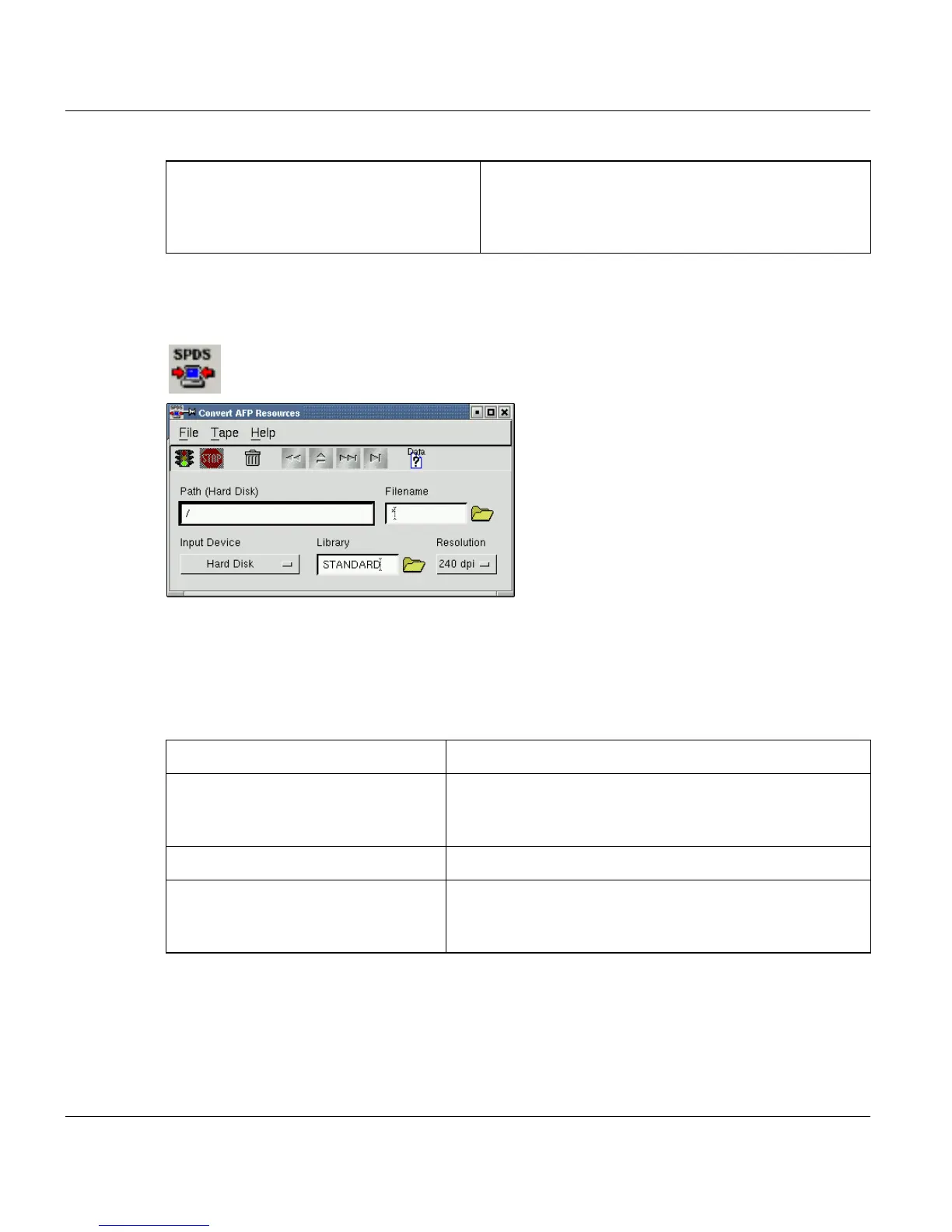
Convert AFP Resources APA-Module Components
22 A29247-X2-X-8-7670
4.5 Convert AFP Resources
This window is used to import print resources (such as fonts and overlays) into the internal
resource library (RDS subcatalog). The resources can be read from hard disk, DOS-format-
ted floppy, 9-track tape, 18-/36-track cartridge or QIC tape. When you are importing from
hard disk, you can choose either to keep the original resources or delete them after they
have been imported. The default setting is "Keep".
The resource files must be in binary format. Use the 'Data Structure Settings' button to se-
lect tape and data format. See description below for more details. Default setting is 'Default
(ANSI/IBMDOS/IBMOS labeled)'.
The "folder” button next to the file name field displays a list of the files on the selected input
medium (floppy, tape, cartridge or QIC).
None Labeled, Undefined Length None-Labeled tape with record delimiter. The Record
Delimiter parameter has to be defined in hexadeci-
mal (preceding with 0x) or octal (preceding with 0)
format.
Input Device Description
Cartridge (18-/36-track)
QIC
Tape (9-track)
ANSI-labeled IEBGENER format – Each resource is in a
separate file.
Floppy 3½” DOS format floppy - Each resource is in a separate file.
IEBCOPY-Cartridge (18-/36-track)
IEBCOPY-QIC
IEBCOPY-Tape (9-track)
ANSI- or NONE-labeled IEBCOPY format – One or more
libraries where each library have one or more resource
files.



 To Next Page