APA-Module Components Import AFP Data Window
A29247-X2-X-8-7670 21
The 'folder' button after the filename field displays a list of files on the selected input medium
(cartridge, tape or QIC). These also show the File Sequence Number followed by a dot ('.')
and then the magnetic tape filename. This button helps you if you do not know the exact file
name(s) on the tape. Depending on the tape content, this may take several minutes.
You can print the imported data later using the standard Print Job Manager.
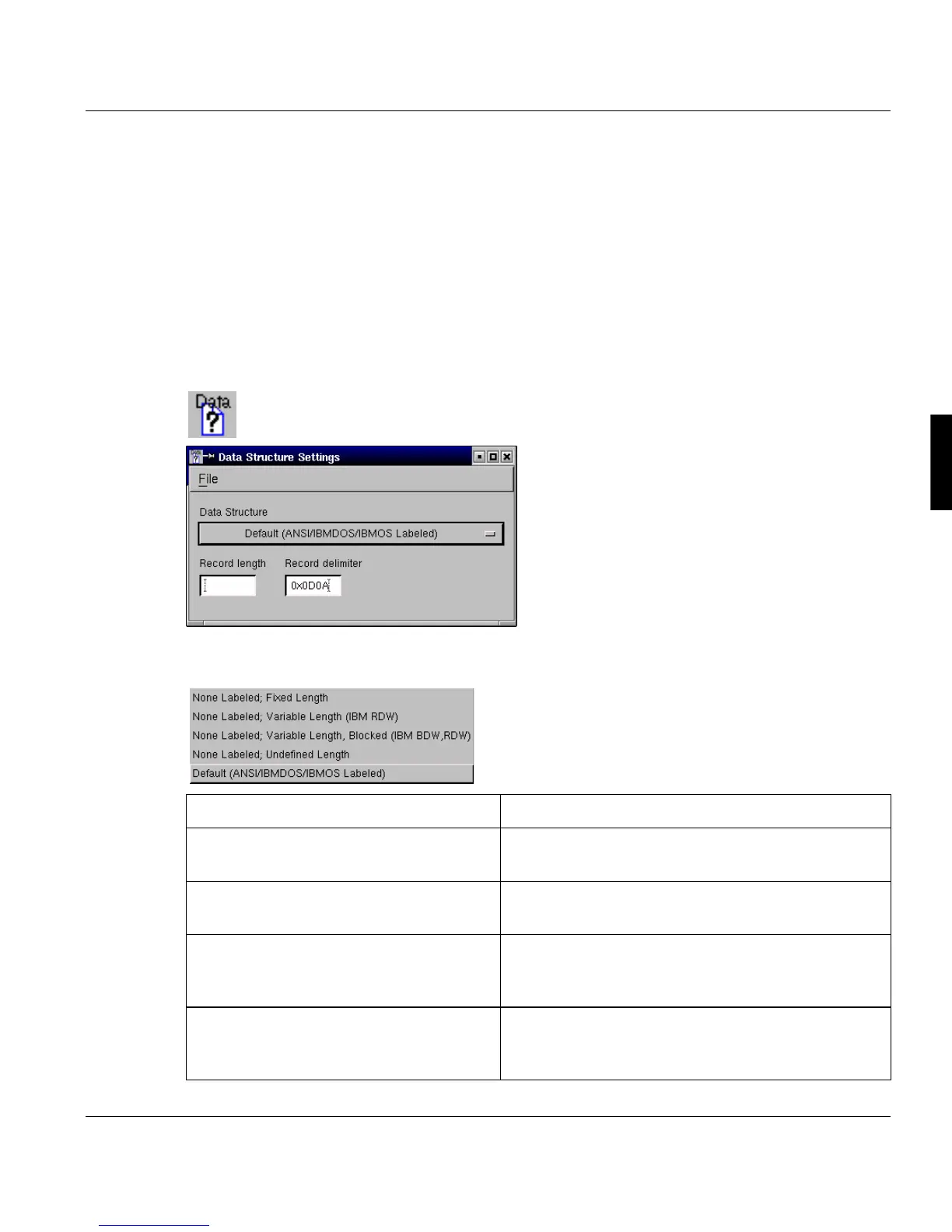
Import Data Structure Settings Menu
The Import Data Structure Settings Menu allows you to specify, if the tape is ANSI-labeled
(DEFAULT) or if it is a None-labeled tape together with the additionally needed parameters.
The Data structure selection list allows you to select the tape type as well as the data struc-
ture on the tape.
Options Description
Default (ANSI/IBMDOS/IBMOS Labeled) Used when reading ANSI-Labeled tapes, no addi-
tional parameters needed. DEFAULT
None Labeled; Fixed Length None-Labeled tape with fixed record length. Record
Length parameter must be specified.
None Labeled; Variable Length (IBM
RDW)
None-Labeled tape with variable length records
where the length field has the binary IBM format. No
additional parameters are needed.
None Labeled; variable Length, Blocked
(IBM BDW, RDW)
None-Labeled tape with variable length blocks and
records where the length fields have the binary IBM
format. No additional parameters are needed.



 To Next Page