APA-Module Components Web Client
A29247-X2-X-8-7670 45
Making Impositioning Schemes available
Impositioning schemes which should be used in QuickPrint Easy/Advanced mode have to
be stored in the public section of the $WEBIMPSETS directory (e.g. using the composer).
To display a corresponding description, the impset must contain this coment.
The administrator of the Web Client is able to customize impositioning schemes in the
$WEBIMPSETS directory. He ca add, delete and modify schemes.
4.7.5 QickPrint Easy
In ’QuickPrint Easy’ mode, you can print on the server but you cannot save your data. You
do not have access to the Print File Library or to any other directory for saving the job tick-
et. The data are deleted from the server immediately after printing.
Every user, also the user 'guest', have access to the standard settings in this mode (the
user 'guest' is not allowed to submit print jobs).
The QuickPrint Easy mode is recommended if you want to print only one file which you do
not want to save on the server.
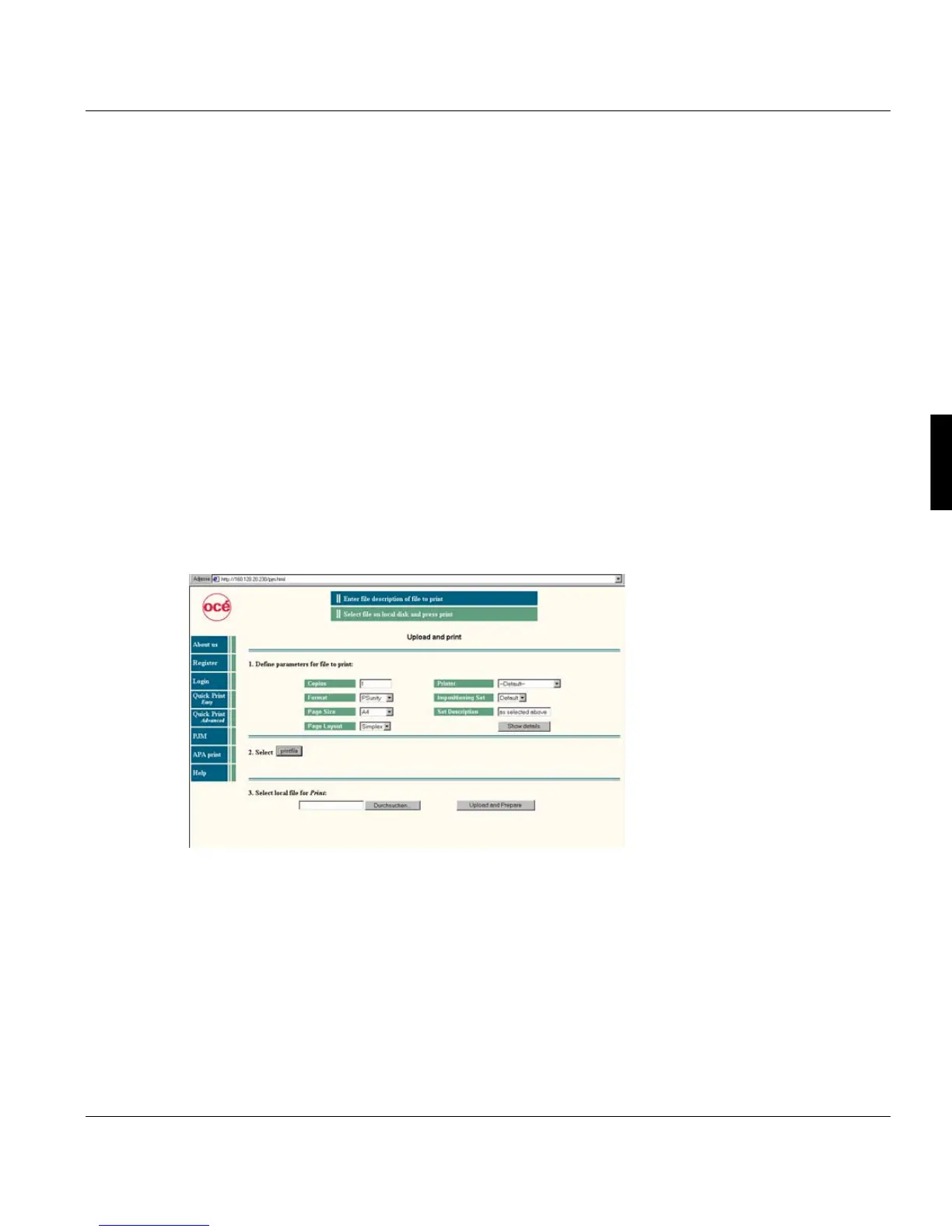
Proceed as follows in the main window:
1. Set up the parameters for the file to be printed. This has to be done before the file is
selected!
2. Press ’Select printfile’. The functions for the file selection will be displayed.
3. Choose the file and click ’Upload and Prepare’.
If the document is prepared, you can view it, print it or cancel the process. This takes place
in the information section of the window.



 To Next Page