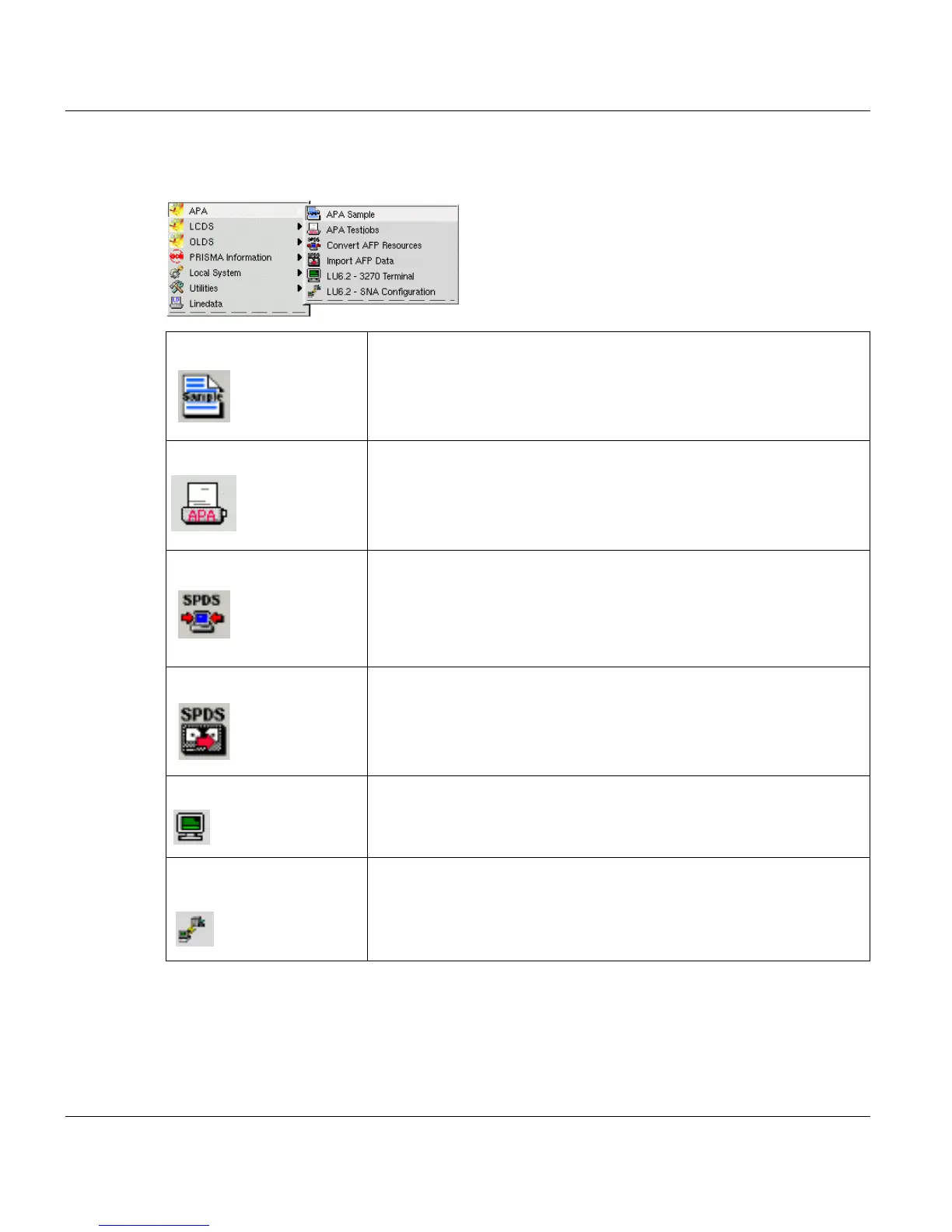
Main Pop Up Menu The PRISMAproduction Desktop
12 A29247-X2-X-8-7670
3.2.2 Available Applications for the APA-Module Functions
APA Sample This button opens the APA Sample window, which is described in
chapter "APA-Module Sample Window" on page 18. This window
generate printouts of fonts, overlays or page segments.
APA Testjobs Opens a window with predefined test jobs which can be printed for
equipment tests.
Convert AFP Resources This button opens the Resource Import window for importing SPDS
resources in binary format from hard disk, tape, cartridge or 3.5” flop-
py. The window is described in chapter "Convert AFP Resources" on
page 22.
('applic', 'admin' and 'service' only)
Import AFP Data This button opens the window for importing print data from 9-track-
tape and 18-/36-track cartridge. The imported data can later be print-
ed using the Print window (see below).See chapter "Import AFP Data
Window" on page 20 for a description of the window.
LU6.2 - 3270 Terminal Opens a terminal window, which allows you to communicate with a
host connected to PRISMAproduction via LU6.2.
LU6.2 - SNA Configura-
tion
Opens a tool, which allows you to set up and manage LU6.2 connec-
tions to a mainframe.



 To Next Page