Job Lists PRISMAproduction Explorer
80 A29247-X3-X-6-7670
5.7.7 Filters
You can apply filters to restrict the content of job lists to entries that match particular criteria.
You can define various types of filters and store them for use again at a later date.
Filters you have saved are presented in the Explorer tree; you can delete them by way of
the shortcut menu opened with the right mouse button.
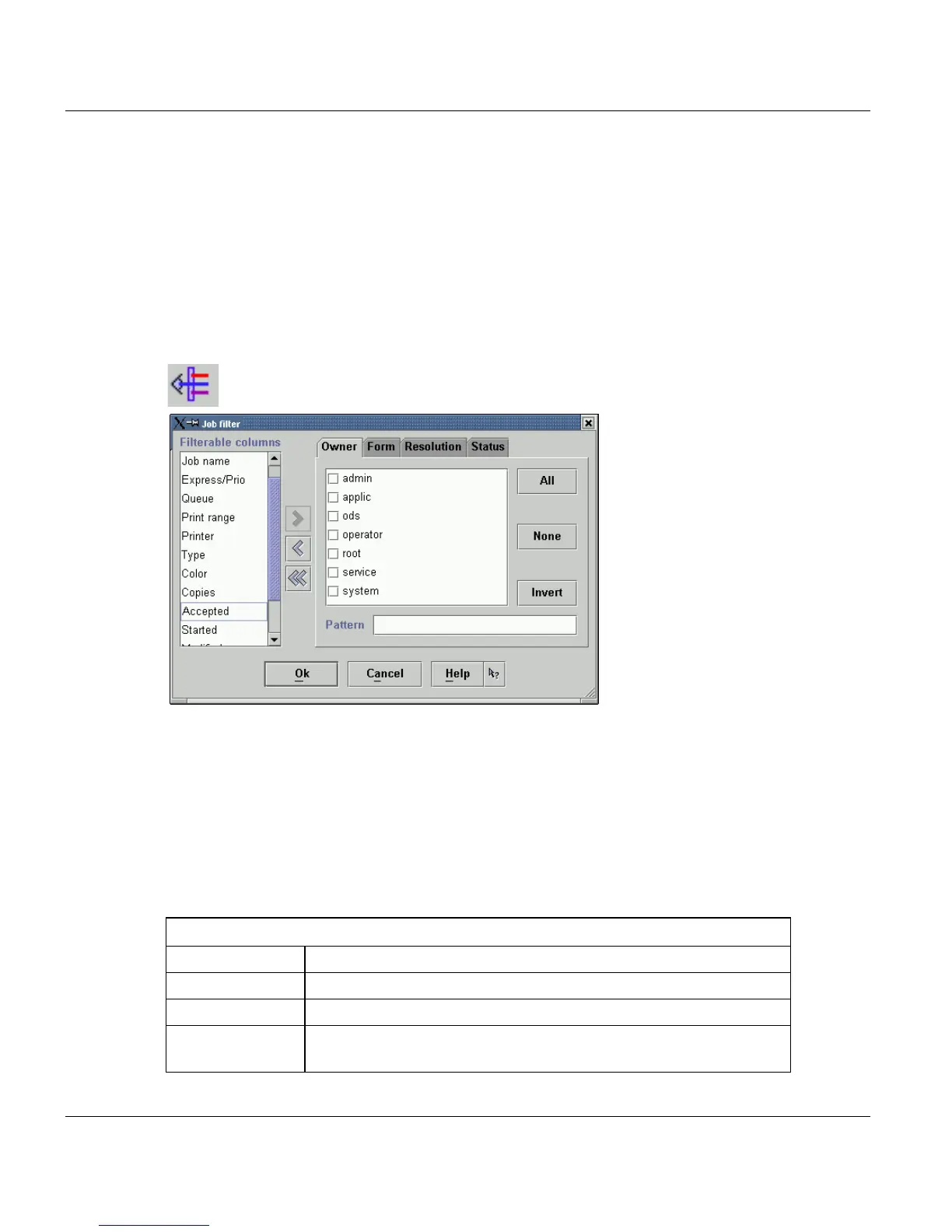
The functions for creating and editing job filters are launched in a job list, either via the Filter
menu or via the Filter icon:
You can filter most of the columns of the job list. These columns are offered under ’Filter-
able columns’.
Columns which should be part of the filter have to be moved from left part of the window to
the right, using the arrow buttons. The right part of the filter window displays a tab for every
column. On this tabs you define the filter conditions, which should be valid for column. All
filter conditions for the different columns have to be valid at the same time to display the job
using this filter.
The possibilities to assign conditions depend on the data type of the column..
Filterable columns
Job id The list includes only jobs belongng to the selected Job ids.
Owner The list includes only jobs belonging to the selected users.
Job name The list includes only the selected jobs.
Express/Prio The list includes only jobs of a specified range of prios. You can
also specify to view all jobs with or without express rights.



 To Next Page