Configuration Printer
A29247-X6-X-6-7670 179
The Staus of the printer can be:
6.14.5 Configuring a new Printer
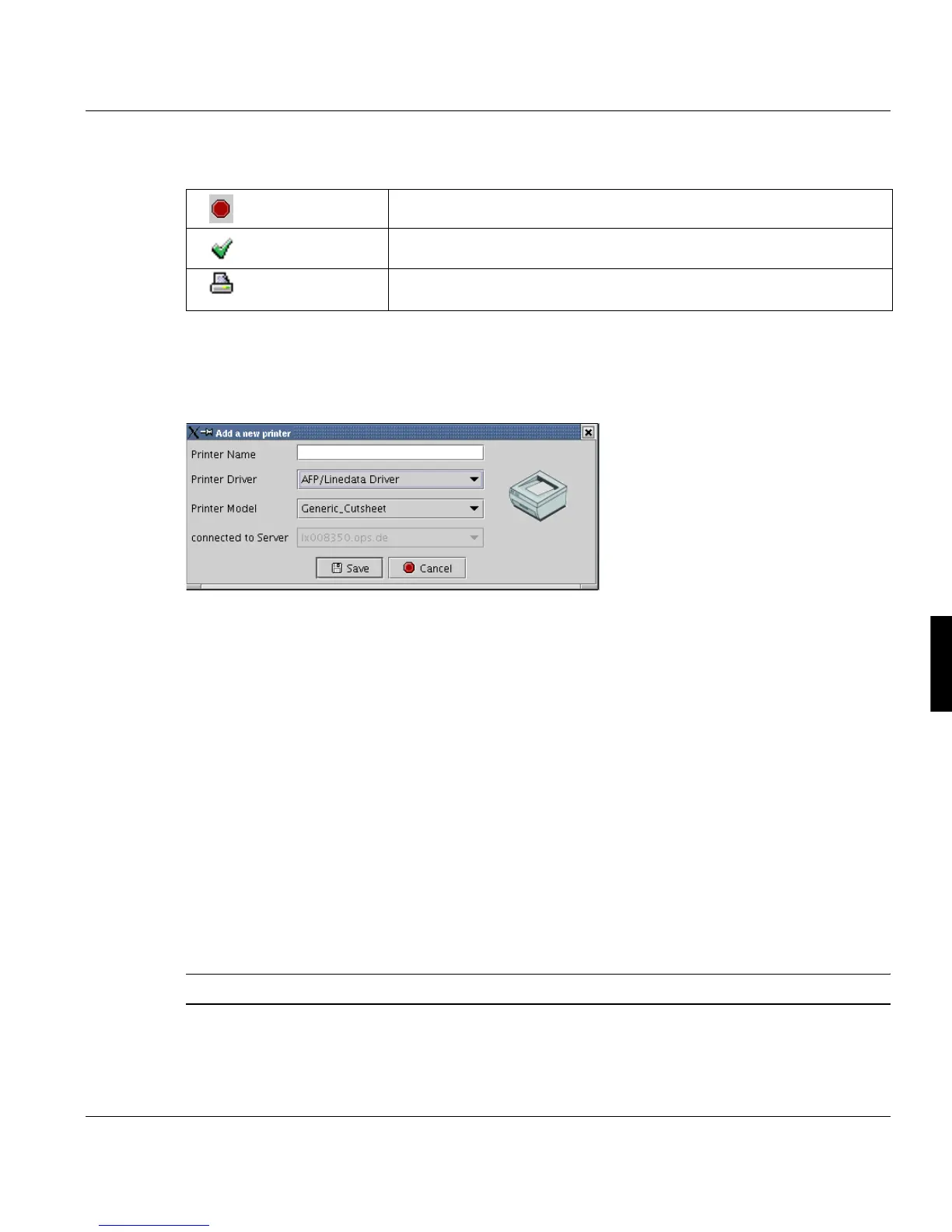
Selecting the function "New" in the menu or toolbar opens the following dialog:
Here you have to specify the main printer attributes:
• Name of the printer (up to 20 characters)
• The type of data processing device
• The printer model (leads automatically to a general printer type and appropriate sym-
bol)
• The server, which the printer is connected to
The following device types are available:
• AFP/Linedata Driver: Data output to IPDS printers,
connected via SCSI, 370-channel and network.
• FTP Output:Data output via FTP to other systems
• LPR Output
• Docutech Output
Note: Up to 32 printers can be configured per server.
Spool inactive Spool daemon is down (for all printers on the server)
Spool active Spool is active, the printer is inactive
Printer active Printer is printing (or at least waiting for a job). Don’t reconfigure the
printer in this state.



 To Next Page