Printer Pool PRISMAproduction Explorer
124 A29247-X3-X-6-7670
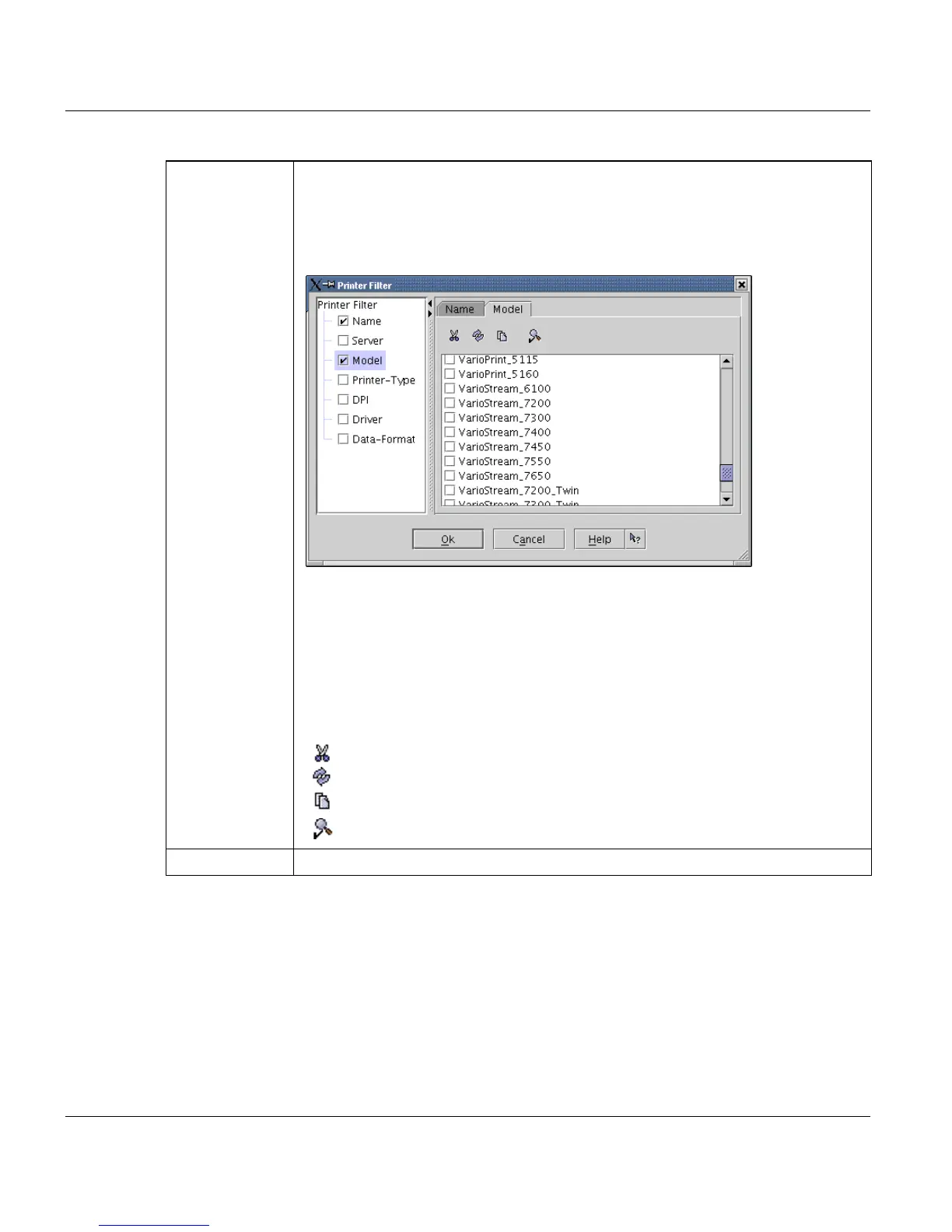
Filter ... Opens a dialog box for selecting a filter. If the filter is active, only printes mat-
ching the filter are displayed.
The tree on the left side displays all available an filtered columns. The right side
displays the filter for currently selected tree entry.
Each selected entry in the tree leads to a new tab on the right side of the dialog.
'Name' Filter for printer names
'Server’ Filter for server, which the printer is connected to.
'Model’ Filter for supported printer models.
'Printer type' Filter for basic printer types
'DPI’ Filter for printer's resolution
'Driver’ Filter for printer driver
'Data format’ Filter for printer's data formats.
The list selection area in this dialog has a small toolbar with these items:
Select none
Invert selection
Select all
Invert filtering method = display all but items, selected in the filter
'Clear filter' Clear the currently selected filter.



 To Next Page