PRISMAproduction Explorer Directory Viewer
A29247-X3-X-6-7670 135
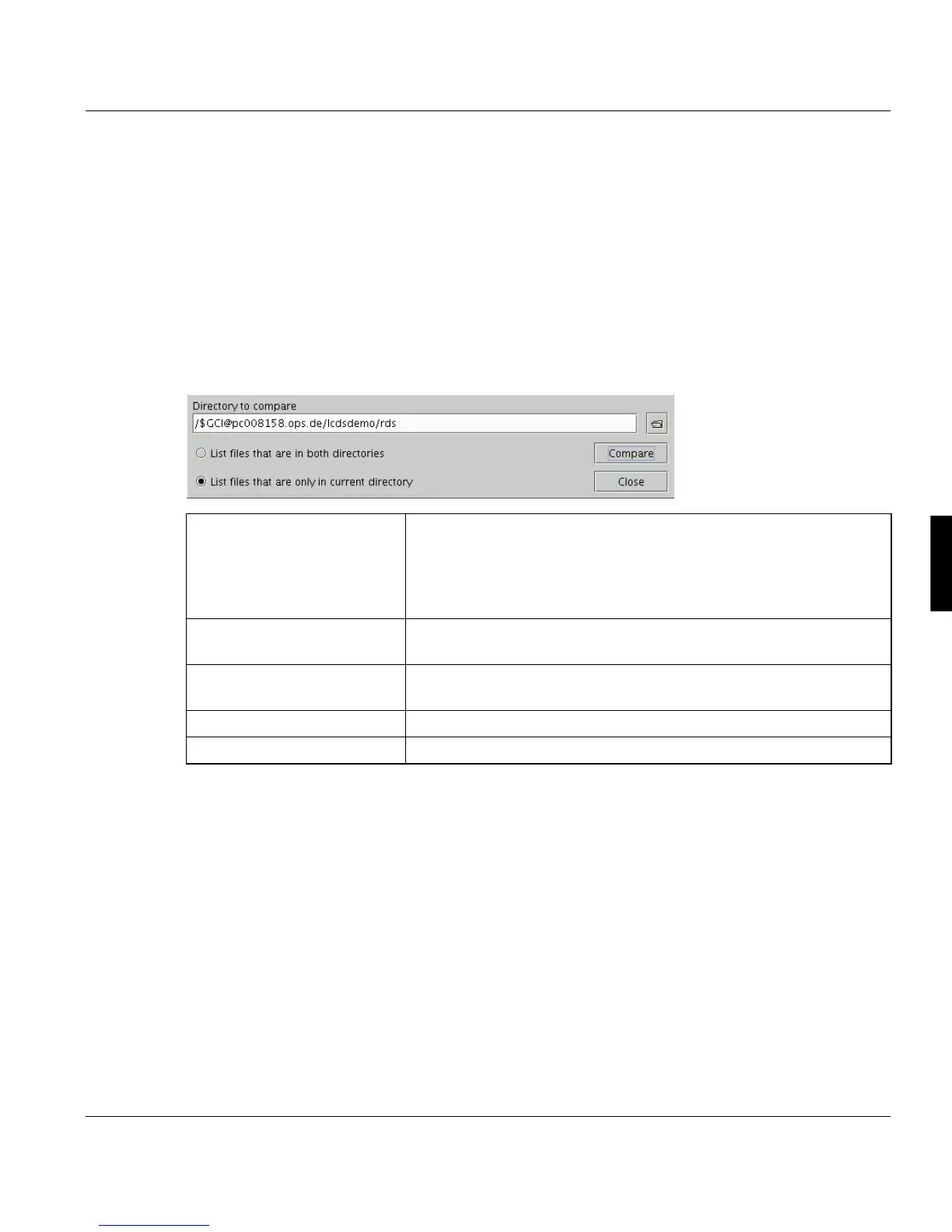
Compare Directories
You can call this function from the ’File’ menu on the ’Local Files’, ’Server Files - Libraries’,
’Server Files - Devices’, ’Server Files - Archives’, ’Server Files - GCI’ and ’Server Files -
LCDS’ tabs.
This tool compares the actual directory to another. Via the ’View’ menu you can also include
subdirectories. The comparison itself is based on the filenames.
The result of the comparisom is displayed on a separate tab with the addition [compare] in
the title bar. Click ’Update directory’ to close the comparison and move back to the actual
directory.
’Directory to compare’ You can either key in the name of the directory which should be
compared with the current directory or click the 'Open file' icon to
open a file selection dialog box. The current directory is the one
open on the screen in which you select the Compare function. It is
referred to in the upper area of the window and also on the tab.
’List files that are in both di-
rectories’
The comparison will list the files that are present in both directories.
’List files that are only in cur-
rent directory’
The comparison will list the files that are present only in the current
directory.
’Compare’ Starts the comparison
’Close’ Closes the window area with the compare function.



 To Next Page