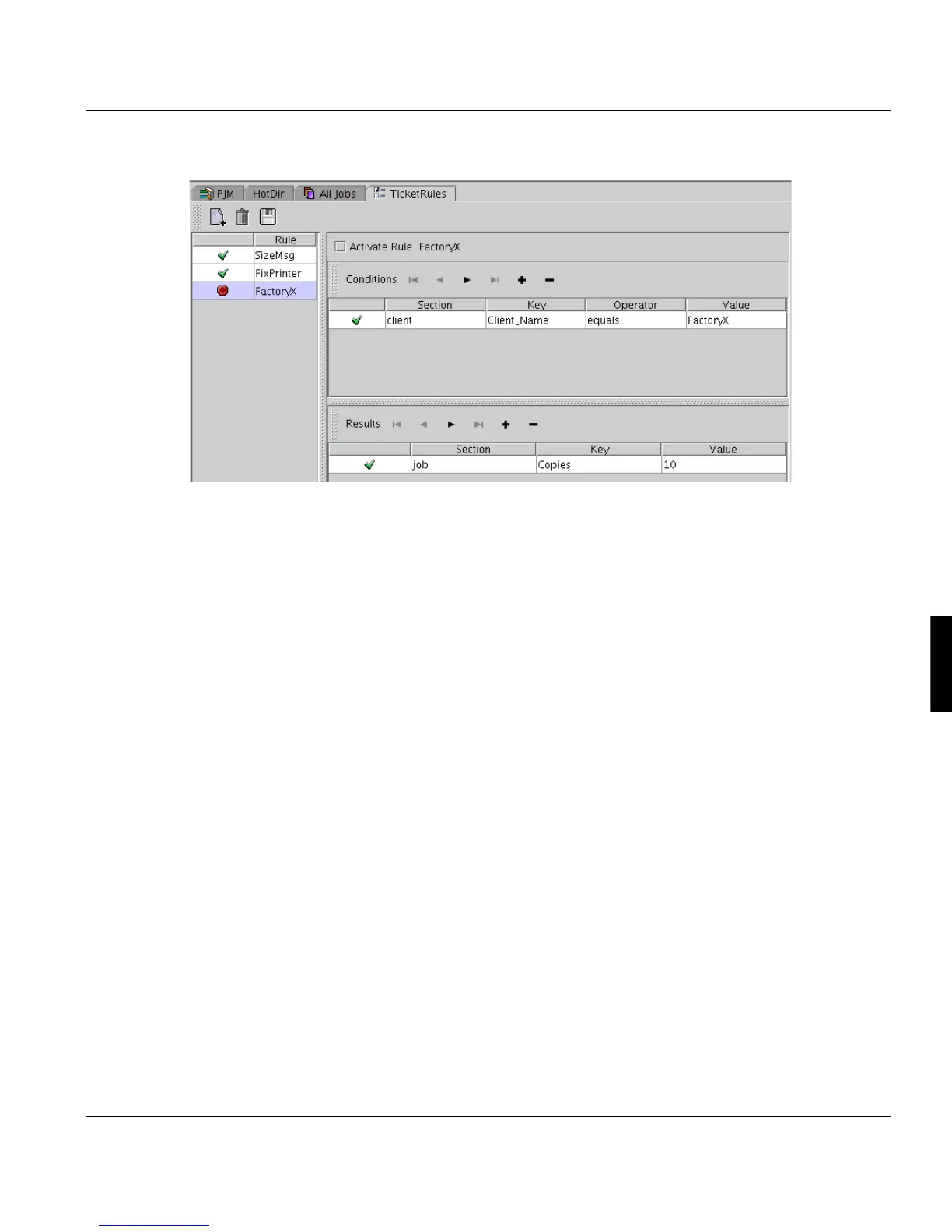
Configuration TicketRules
A29247-X6-X-6-7670 211
This rule prints 10 copies of every job of the customer FactoryX.
Activate TicketRules for an input port (Download), printer (LP) or directory (HotDir):
• Please choose the program for the job submission ’TicketRules’ for the desired port,
printer or directory in the Download, LP or HotDirectory Configuration Window.
Examples for the usage for jobs transmitted via download to PRISMA:
• Depending to the MVS jobs class, a specific Formdef should be selected for the job.
• Depending to the FORMS parameter a specific PRISMA printer should be selected in
the job ticket.
• Depending to the BUILDING and ROOM parameter specific PRISMA printers and Job
queues are selected.
The description for the valid sections, parameters and values you find in ’Description of the
Océ Custom Ticket’ on page 291.



 To Next Page