The APA-Module LU 6.2 Connection APA-Module Components
34 A29247-X2-X-8-7670
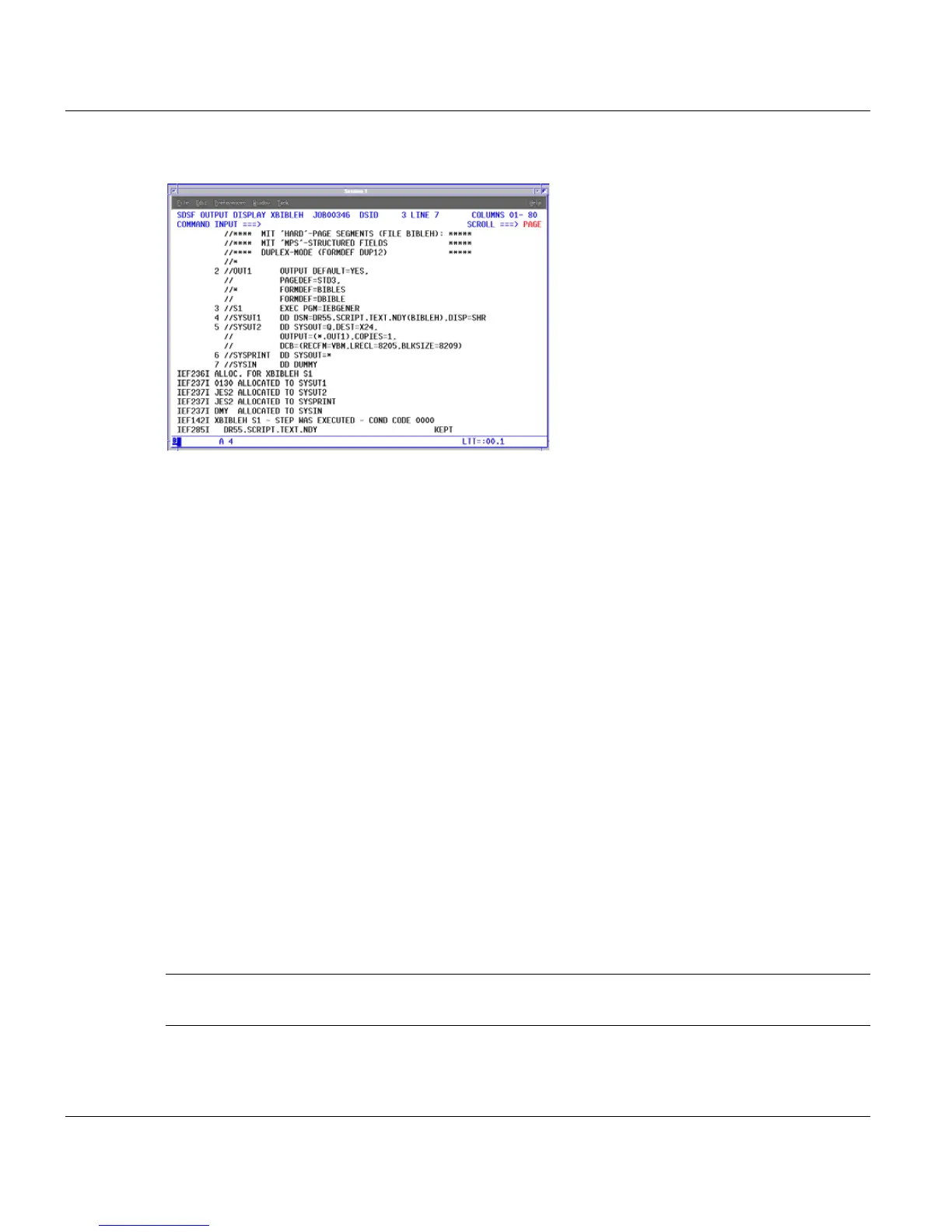
Log of print job
This JOB LOG is in the queue defined with the attribute MSG-CLASS (here 'Z') in the print
job file.
You can display the LOG file in MVS SDSF to find out the status of the printout.
You can view the contents of the queue with the command 'OZ', for example, and display
the contents of the log file with the command 's'. A COND CODE 0000 tells you that the
transfer was completed correctly.
The LU62Status display component also has functions for monitoring the data transfer di-
rectly. You can also log on to the MVS host with the SNAP-IX terminal emulation software,
which prevents you having to switch constantly between LINUX and MVS.
The following figure shows our example application:
The MVS operator has submitted the print job BIBLEH to printer PRT24, which is supplied
with data by queue 'Q'. Printer PRT24 was previously activated using the SDSF menu.
Once the transfer is initiated by the MVS system, the ID server status changes to "active"
and the job name BIBLEH is displayed.
When the APA-Module has received the print application in full - and not before - a new en-
try is added to the print queue. The jobs spool entry contains additionally to the usual job
the MVS name and Job ID in the Userinfo column and the number of received pages in the
pages column.
Important: Job queues are of special significance in printing with the LU 6.2 software: all
print jobs received by means of LU 6.2 are assigned the job queue 1 by default.
In addition, printer 3 is configured as a special "network printer" to receive the MVS print
jobs and route them to a physical printing system.



 To Next Page