Installation: Fax Option Type 9001 (D418-00)
D418 6 SM
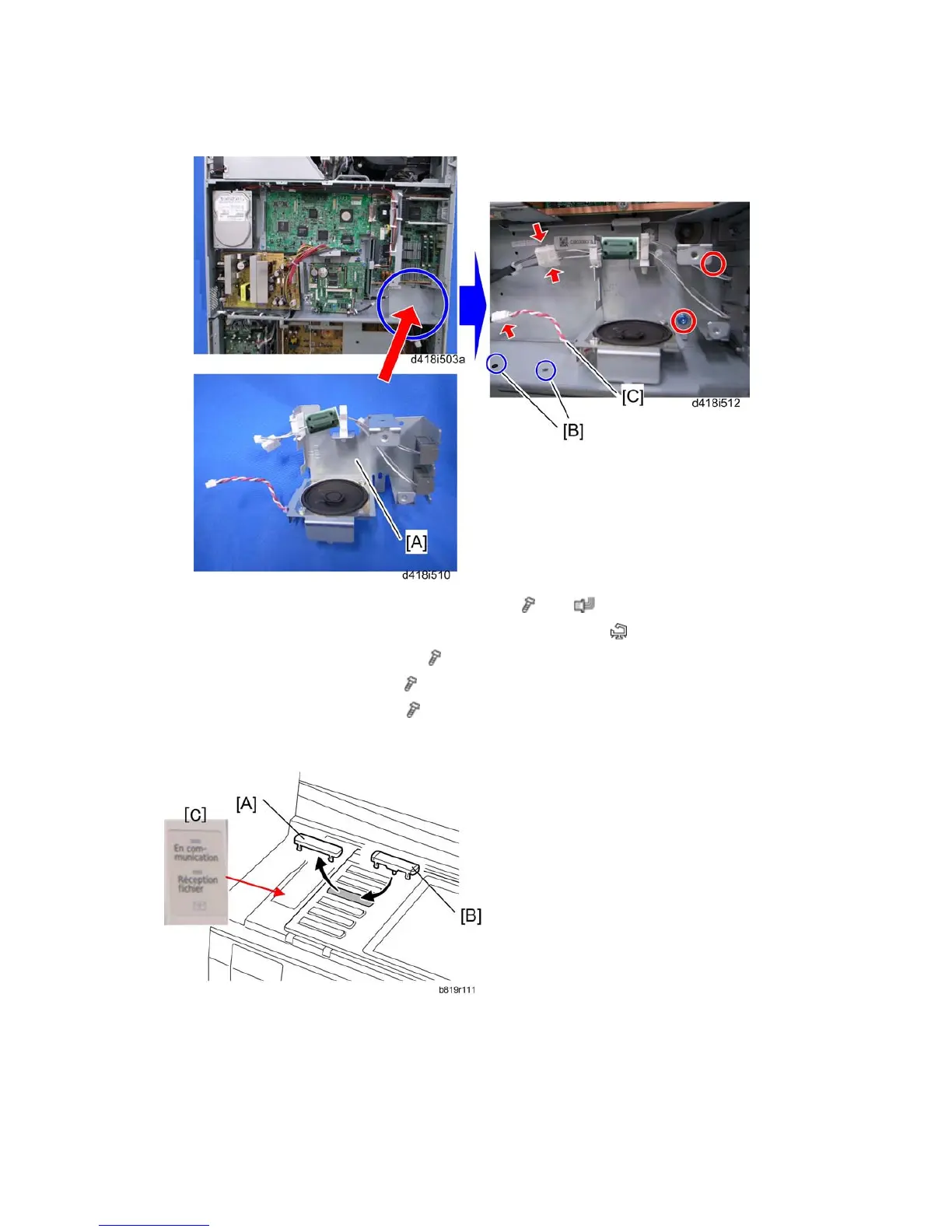
11. Attach the speaker unit [A] to the controller box (
x 2, x 3).
12. Attach two clamps at [B] and fasten the speaker harness [C] (
x 2).
13. Reattach the controller box cover (
x 13).
14. Reattach the rear lower cover (
x 2).
15. Reattach the rear upper cover (
x 2).
Key Installation and Decal Attachment
1. Remove the blank keytop [A] (3rd from the top) and replace it with one of the provided
keytops [B] (either the "Facsimile" keytop or the fax symbol keytop).
2. Attach the multi-language decal [C] (EU only).



 To Next Page