Paper Feed
SM 4-103 D062/D063/D065/D066
Replacement
and
Adjustment
4.11.17 REGISTRATION AND BY-PASS UNIT REMOVAL
1. Remove the development unit. (
p.4-25 "Development Unit Removal")
2. Remove the inner cover. (
x 4)
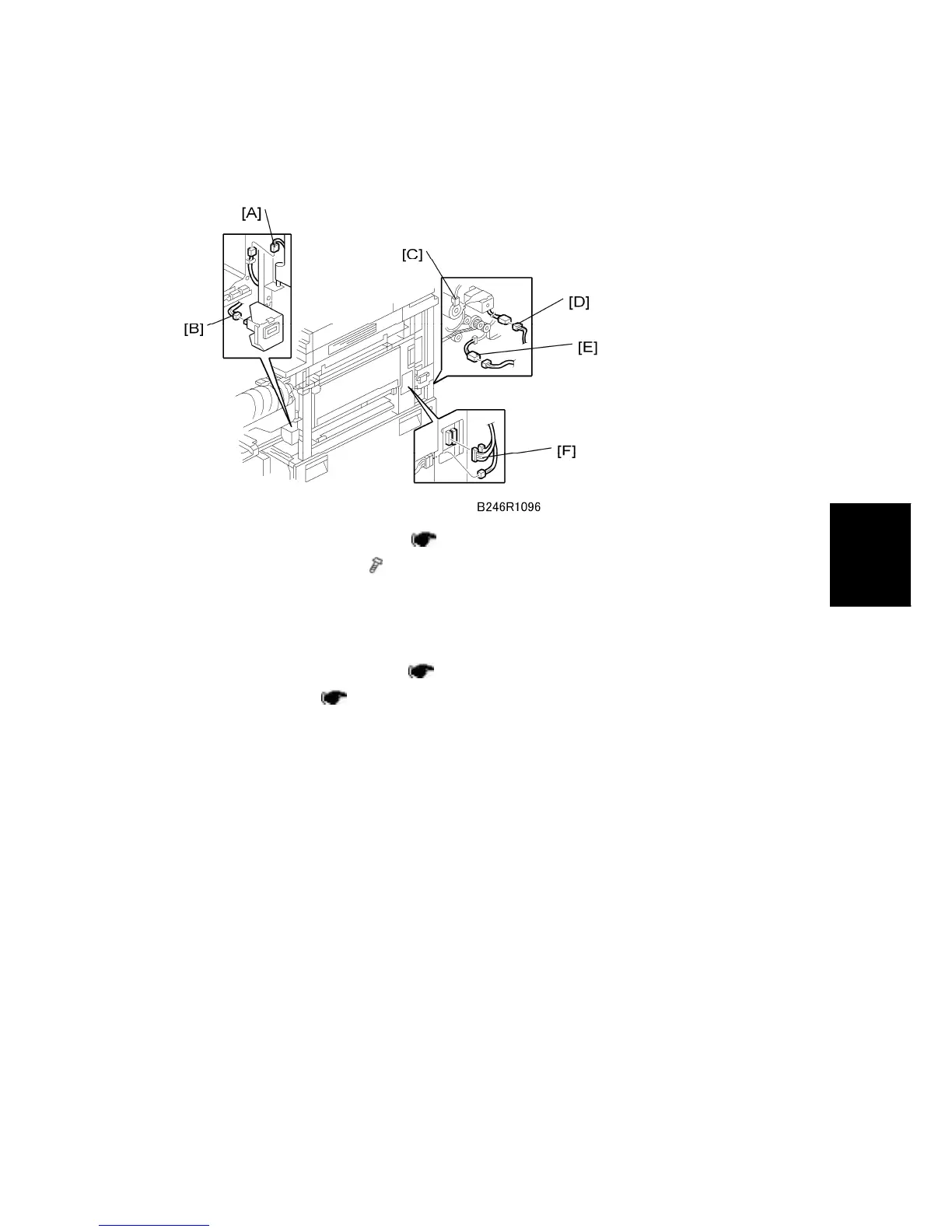
3. Disconnect the toner bottle holder connector [A] and counter connector [B].
4. Pull out the duplex unit about 10 cm.
Confirm that the registration roller is separated from the positioning pin.
5. Remove the right upper cover. (
p.4-7 "Right Covers")
6. Rear upper cover (
p.4-8 "Rear Covers")
7. Disconnect the following connectors:
Relay clutch connector [C]
Guide plate solenoid connector [D]
Guide plate sensor connector [E]
By-pass tray unit connectors [F]



 To Next Page