PCBs and HDD
D062/D063/D065/D066 4-110 SM
Document server documents
Custom-made stamps
Document server address book
The address book and document server documents (if needed) must be input
again.
If the customer is using the Data Overwrite Security feature, the DOS function
must be set up again. For more, see "Installation".
The browser unit must also be installed again.
1. HDD [B] (
x 4)
2. After reinstalling a HDD, execute SP5832 001 (HDD Format – All) to format the hard
disk.
3. Download the browser unit, see "Installation" of Browser Unit Type E.
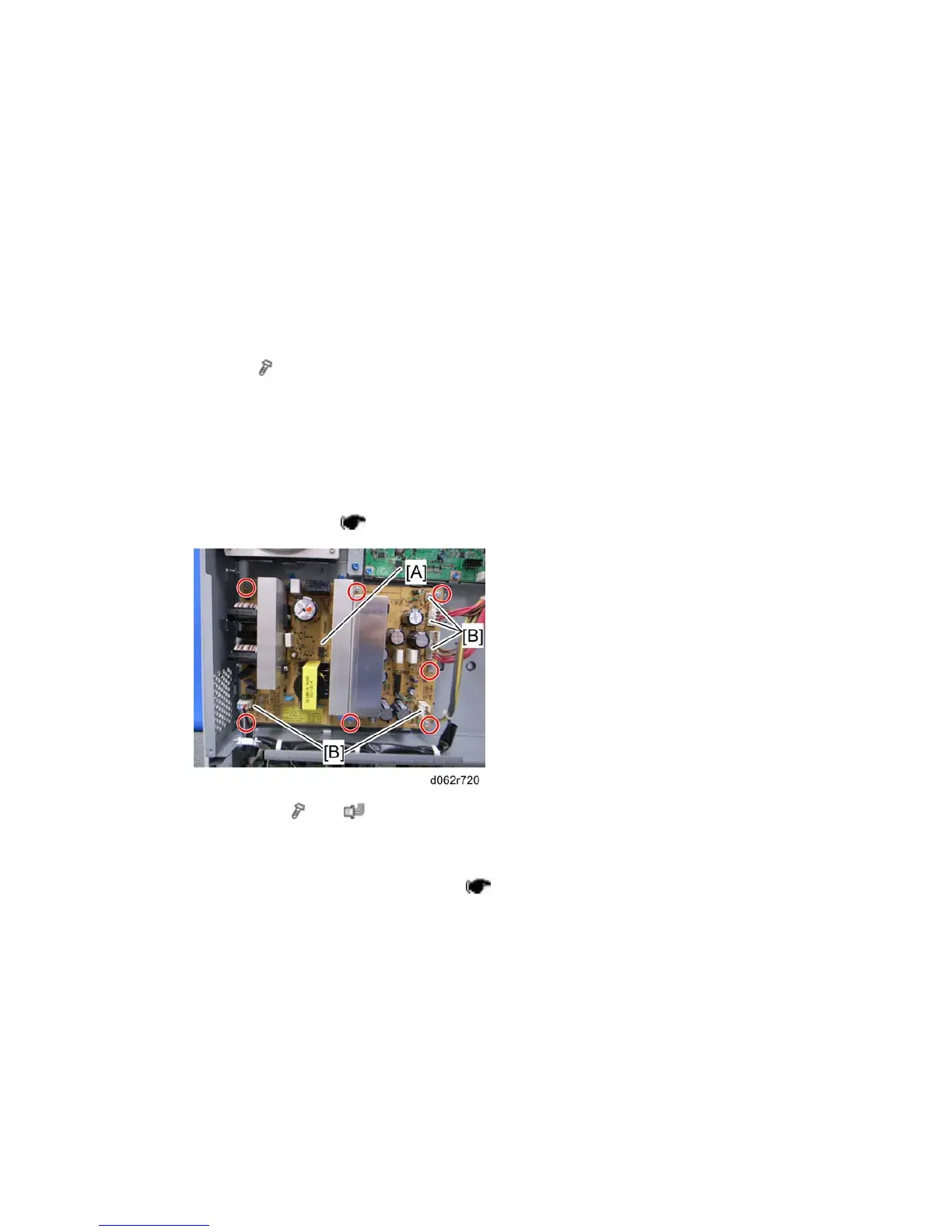
4.12.5 CTL-PSU
1. Controller box cover ( p.4-105 "CNT Board (Controller Board)")
2. CTL-PSU [A] (
x 7, x 5 [B])
4.12.6 BCU
1. Rear upper cover and rear lower cover ( p.4-8)



 To Next Page