MFP Options
D062/D063/D065/D066 2-126 SM
Installation
In a new machine, the IPU does not have this application. You must always install a new
IPU board when you install the Copy Data Security Unit option.
IPU
Remove:
Rear upper cover (
x2) ( p.4-8)
Rear lower cover (
x2) ( p.4-8)
Remove:
Screws and swing open the controller box (
x 3).
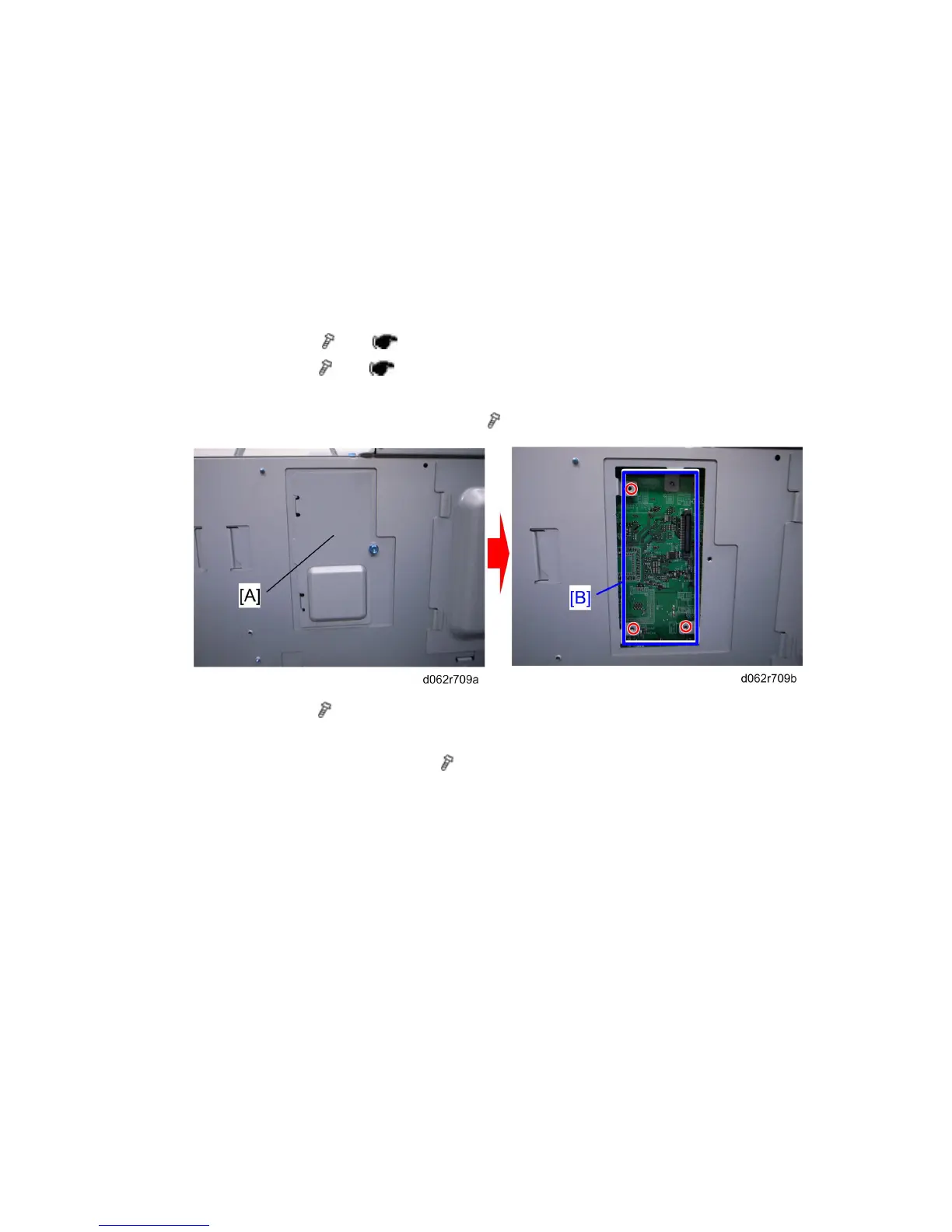
IPU left cover [A] ( x1)
Install:
Copy Data Security Unit Type F [B] (
x 3)
After Replacing the Copy Data Security Unit.
1. Switch the machine on.
2. Login in as the System Administrator.
3. Push [User Tools].
4. Touch "System Settings".
5. Touch "Administrator Tools".
6. Touch next 2 or 3 times until you see "Data Security for Copying".
7. Touch "ON".
8. Touch "OK" to enable the setting.
Rev. 06/15/2011



 To Next Page