Drum Unit
D062/D063/D065/D066 4-32 SM
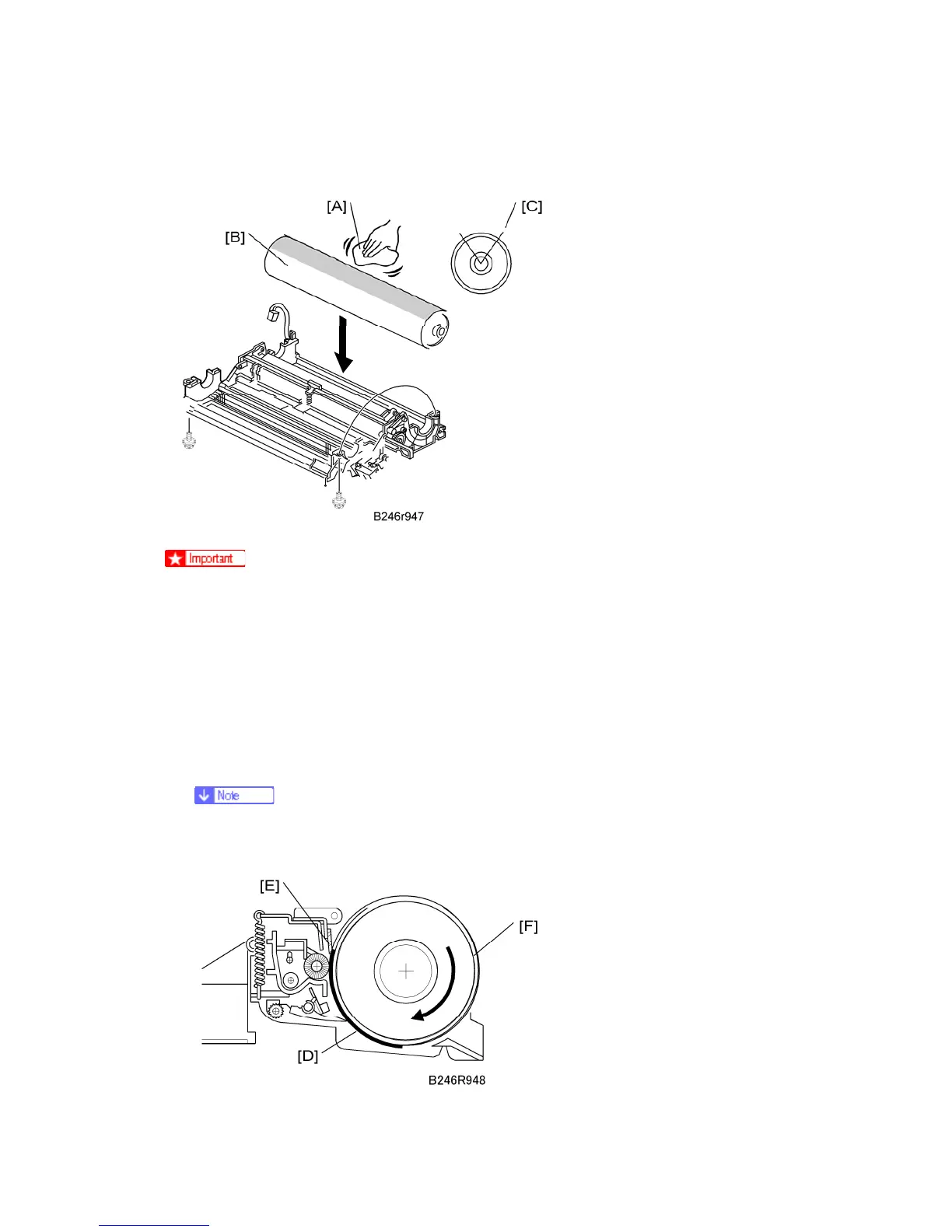
Dusting the Drum Surface
The surface of a new drum is less smooth, so you must apply Drum Setting
Powder (P/N: 54429101) to the drum surface before installation.
Failure to apply the drum powder before installation could damage the drum
cleaning blade or scour the drum surface.
1. Apply the setting powder by tapping the powder bag [A] across the surface of the drum
[B].
2. Cover the entire length of the drum over a 45-90 degree portion [C] (about 1/4 of the
total drum surface). Apply enough powder so the area turns white.
If setting powder is not available, use waste toner instead of drum setting
powder. However, this could cause dirty backgrounds on the first copies.



 To Next Page