Paper Feed
D062/D063/D065/D066 4-88 SM
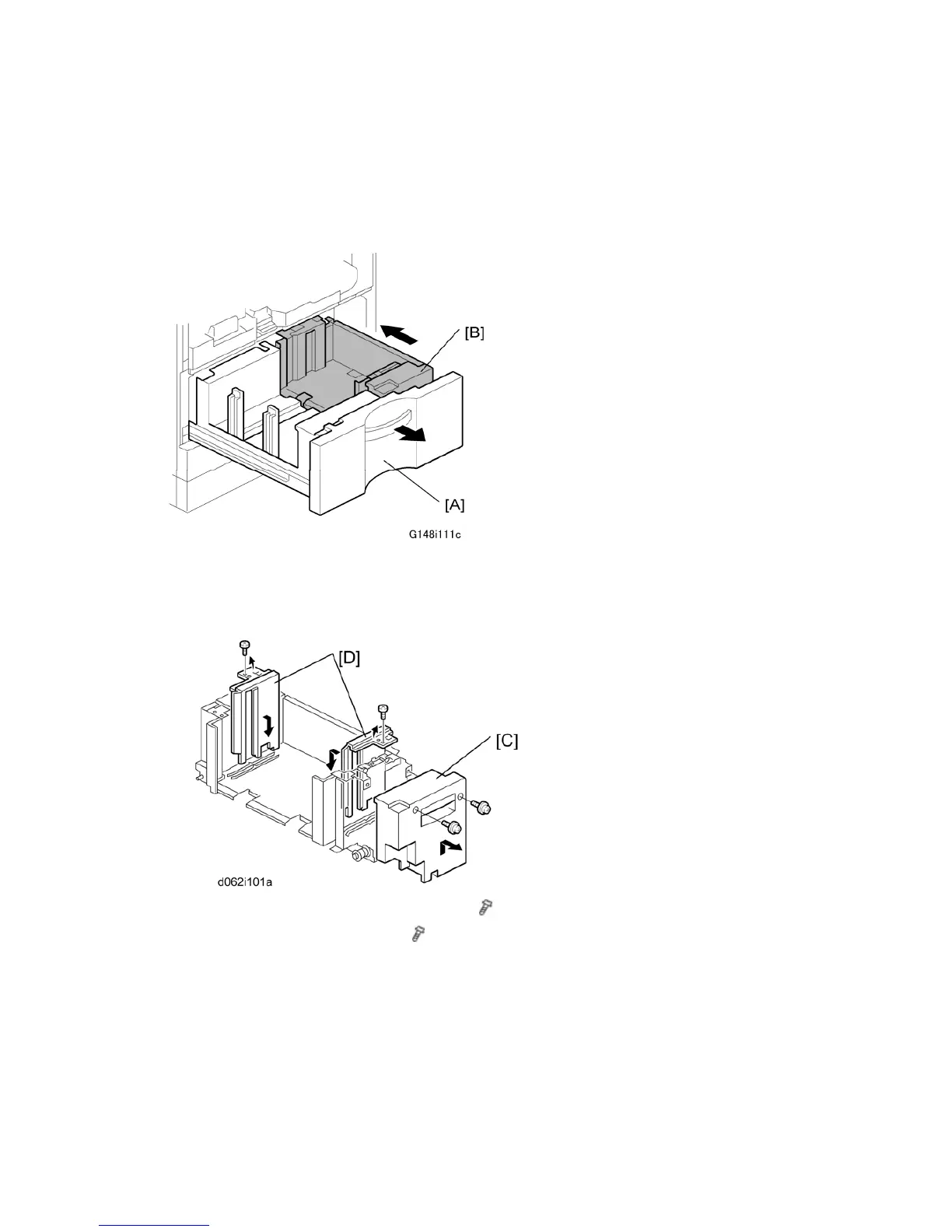
4.11.6 TANDEM TRAY PAPER SIZE CHANGE
At the factory, this tray is set up for A4 or LT LEF. Only A4 or LT LEF paper can be used for
tandem feed.
1. Open the front cover.
2. Completely pull out the tandem feed tray [A] to separate the right tandem tray [B] from
the left tandem tray.
3. Remove the right tandem inner cover [C] (
x 2).
4. Re-position the side fences [D] (
x 1 each).
A4: Outer slot position
LT: Inner slot position
5. Re-install the right tandem inner cover.



 To Next Page