PCBs and HDD
D062/D063/D065/D066 4-112 SM
Replace the BCU.
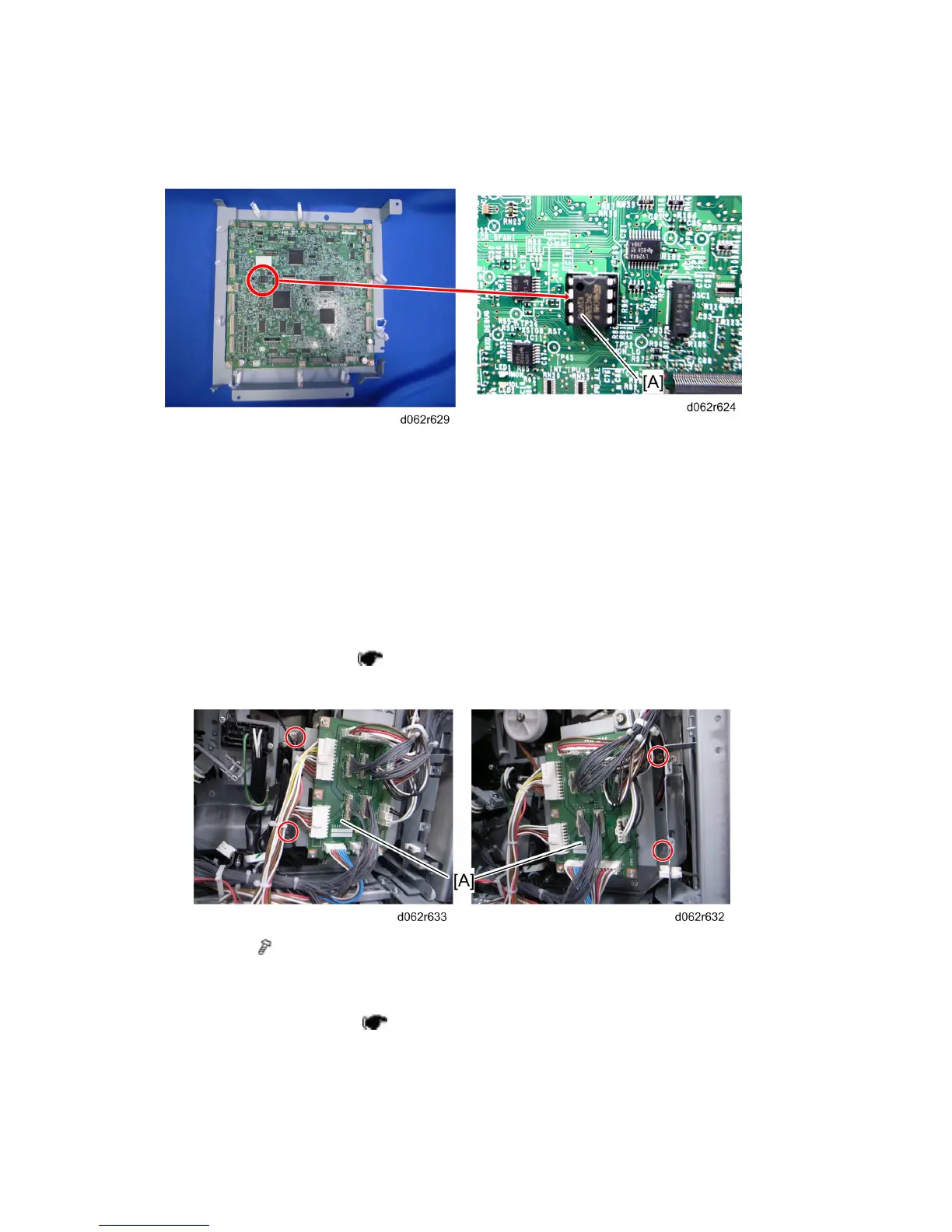
1. Remove the NVRAM from the old BCU, and then install it on the new BCU.
2. Install the BCU.
3. Turn on the machine, so that SC995-01 occurs.
4. Enter the SP mode (SP5-811-004), and then enter the BCU Serial Number.
5. Exit the SP mode, and then reboot the machine.
4.12.7 CNB
1. Open the BCU bracket ( p.4-110 "BCU").
It is not necessary to release all the clamps and harnesses.
2. CNB [A] ( x 4, all harnesses)
4.12.8 PFB
1. Open the controller box ( p.4-105 "CNT Board (Controller Board)")
⇒
Rev. 05/21/2010



 To Next Page