Operation Panel and External Covers
SM 4-7 D062/D063/D065/D066
Replacement
and
Adjustment
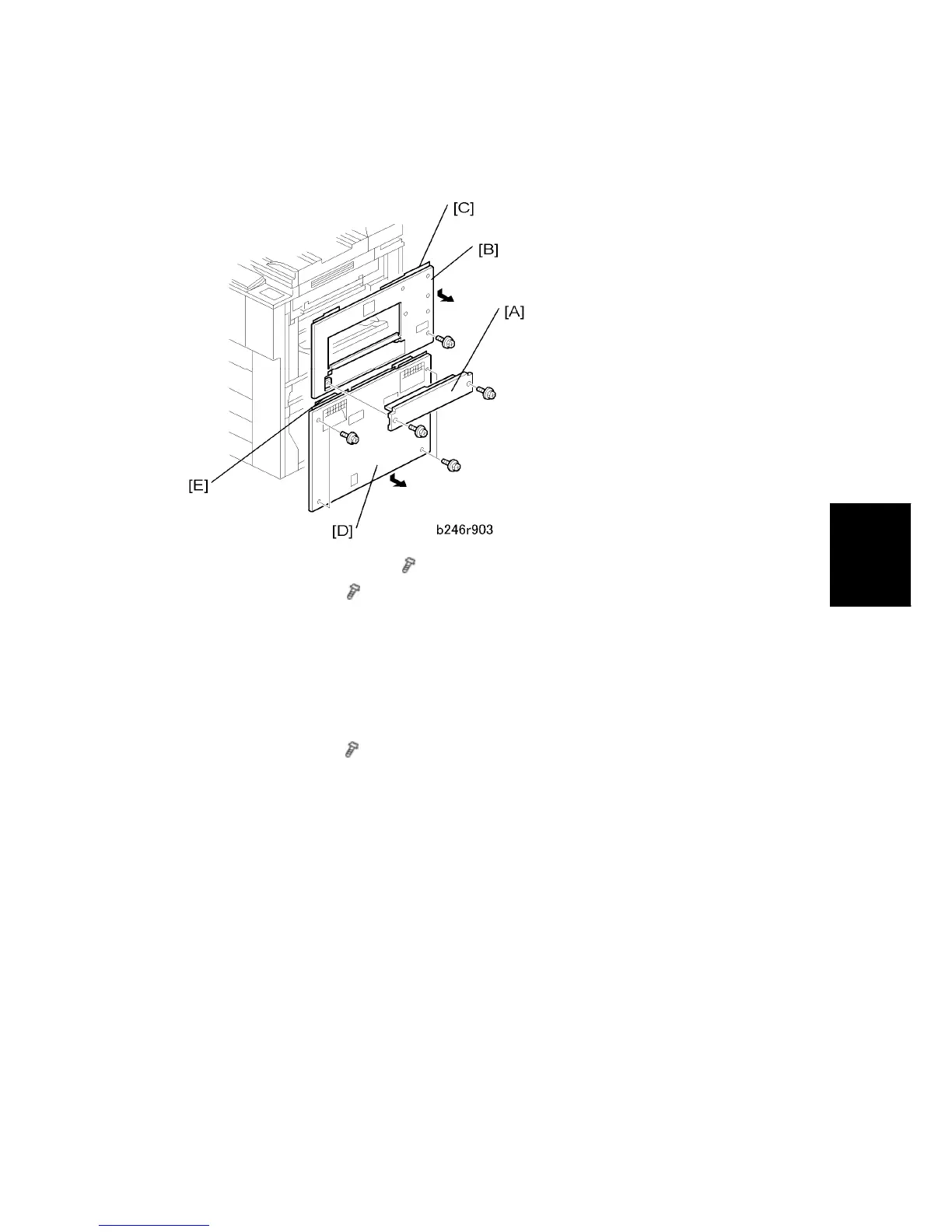
4.3.3 RIGHT COVERS
1. LCT entrance guide cover [A] (
x 2)
2. Right upper cover [B] (
x 2)
To remove the right cover, remove the LCT entrance guide plate, open the by-pass
tray, then slide the right upper cover down to remove it.
Before tightening the screws when re-attaching, make sure that 1) the tabs [C] on
the cover are engaged with the grooves on the machine, and 2) the catches on the
cover are engaged with the shoulder screws.
3. Right lower cover [D] (
x 2)
After removing the screws, slide the cover down to remove it.
When re-attaching, before tightening the screws make sure that the tabs [E] on the
cover are engaged with the grooves on the machine.



 To Next Page