PCBs and HDD
D062/D063/D065/D066 4-106 SM
4. CNT board [C] ( x 3, x 5)
Reinstallation of CNT Board
1. Remove the NVRAM from the old CNT board, and then install it on the new CNT
board.
2. Install the new CNT board.
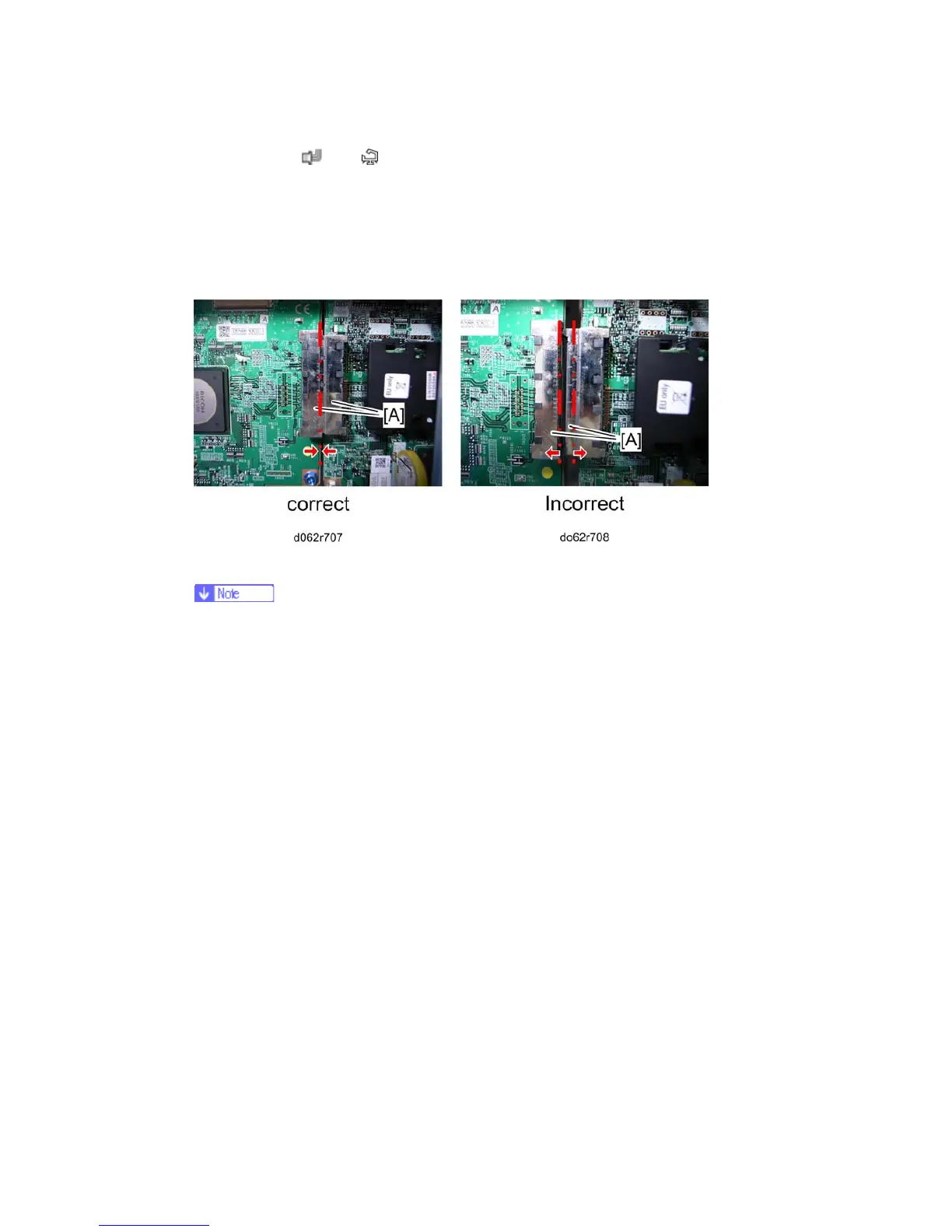
3. Make sure the relay connectors [A] are connected securely.
Each model in this series has a different CNT board.
If you install the wrong CNT board, the operation panel displays SC955-03.
In this case, replace the CNT with the correct board.
4.12.2 NVRAM
This machine has an electronic counting device that uses software to monitor the number
of copies. In addition to the electronic counter of the NVRAM on the CNT board, the
machine is also equipped with a mechanical counter.
NVRAM on the BCU
1. Make sure that you have the SMC report (factory settings). This report comes with the
machine.
2. Output the SMC data (SP5-990-001) if possible.
3. Turn the main switch off.
4. Install an SD card into SD card slot 2. Then turn the main power on.
5. Copy the NVRAM data to an SD card (SP5-824-001) if possible.
6. Turn off the main switch. Then unplug the power cord.
7. Replace the NVRAM on the BCU and reassemble the machine.
8. Plug in the power cord. Then turn the main switch on.



 To Next Page