LCT (B473)
D062/D063/D065/D066 2-26 SM
2.4 LCT (B473)
2.4.1 ACCESSORY CHECK
Check the accessories and their quantities against this list:
Description Q’ty
1. Flat-head shoulder screw - M4 x 6 1
2. Upper docking pins (grooved) 2
3. Lower docking pin (not grooved) 1
4. Installation Instructions 1
5. Paper Set Decal 1
2.4.2 INSTALLATION PROCEDURE
Removing Tape
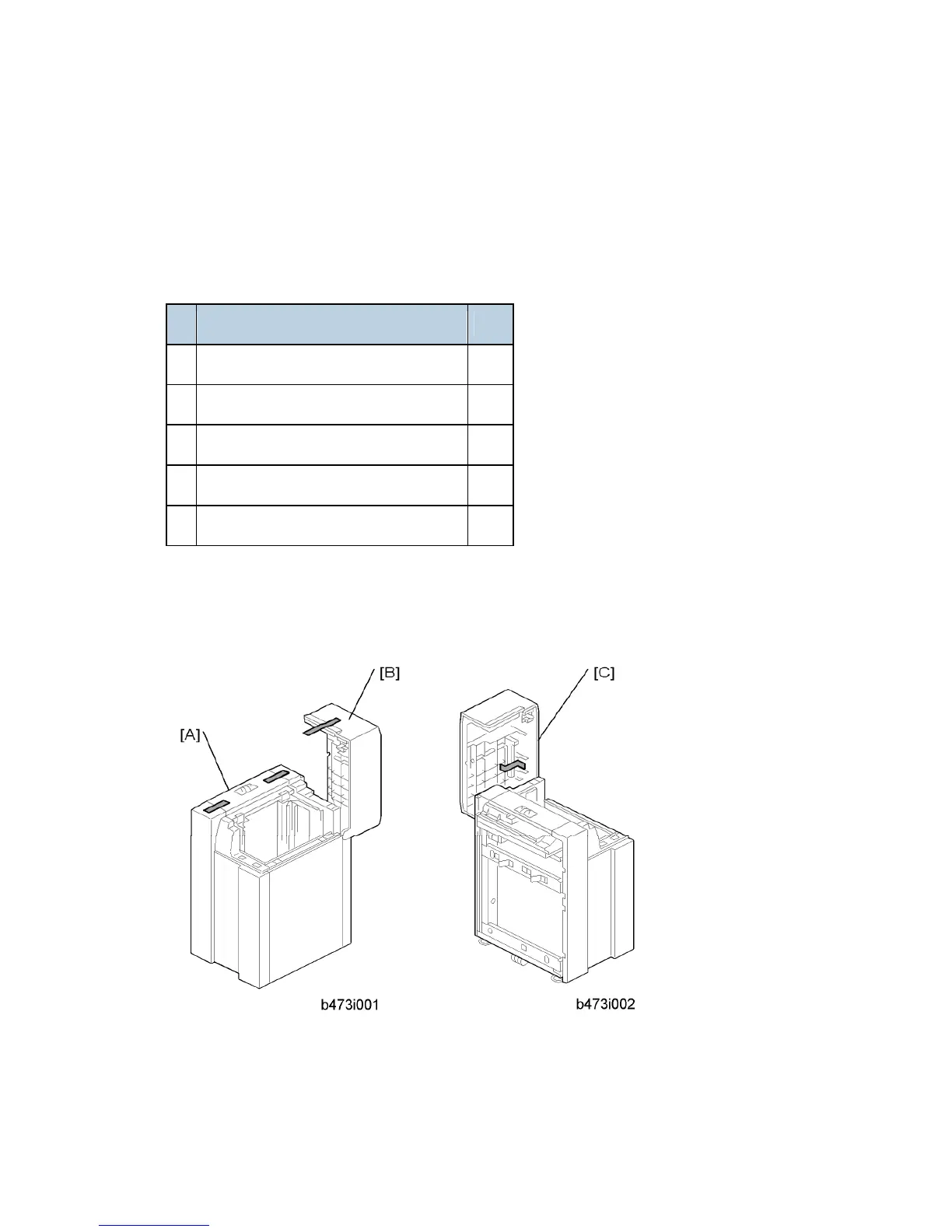
1. Remove the filament tape from the body [A] and top cover [B] of the LCT.
2. Remove the tape under the lid [C] of the LCT.



 To Next Page