Copy Tray (B756)
D062/D063/D065/D066 2-88 SM
2.15.2 INSTALLATION
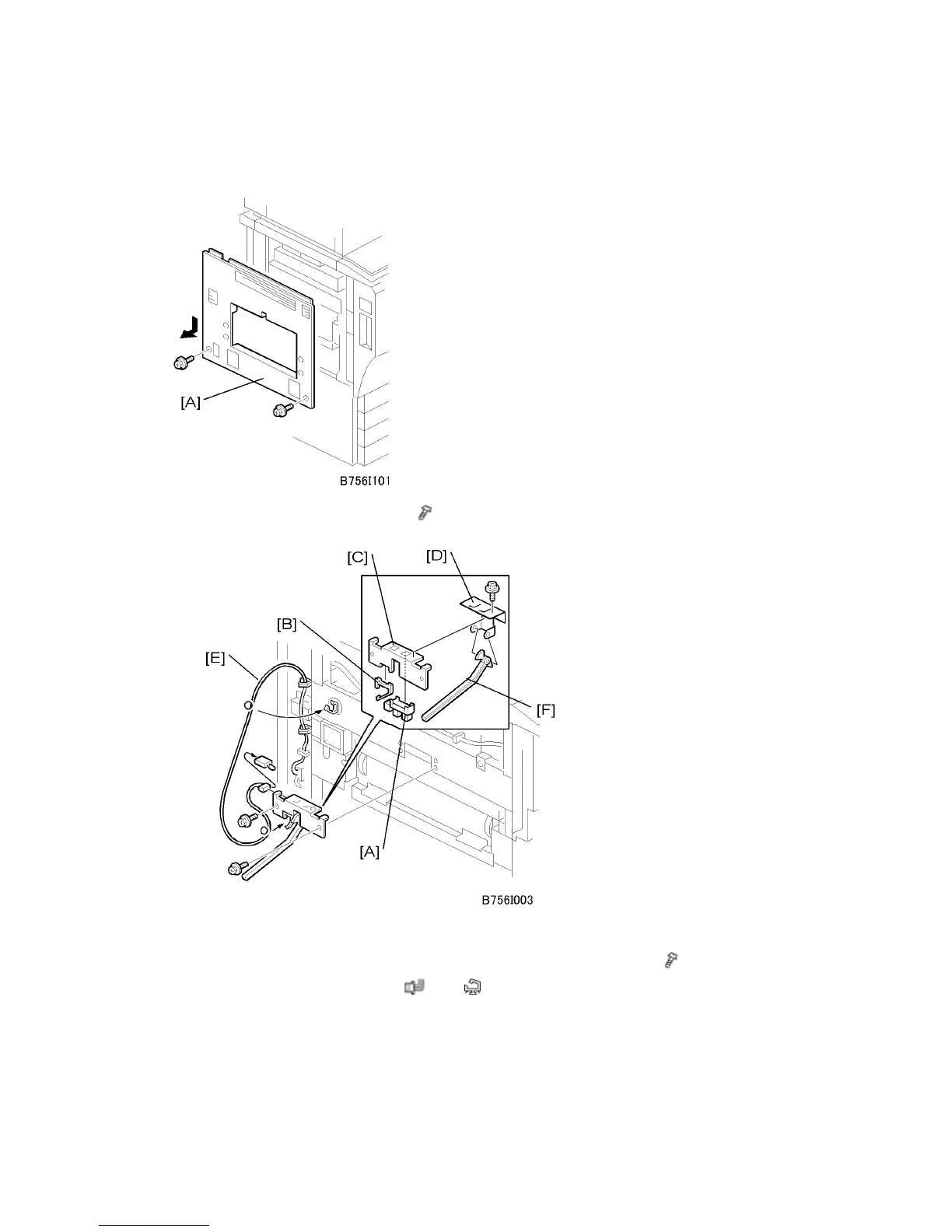
1. Remove the left upper cover [A] (
x 2).
2. Attach the paper height sensor [A] and harness clamp [B] to the sensor bracket [C].
3. Attach the sensor bracket and actuator arm bracket [D] to the copier ( x 3).
4. Attach the sensor harness [E] (
x 1, x 4).
5. Attach the actuator [F] to the arms of the actuator arm bracket.



 To Next Page