ADF
SM 4-131 D062/D063/D065/D066
Replacement
and
Adjustment
Reinstalling the Belt
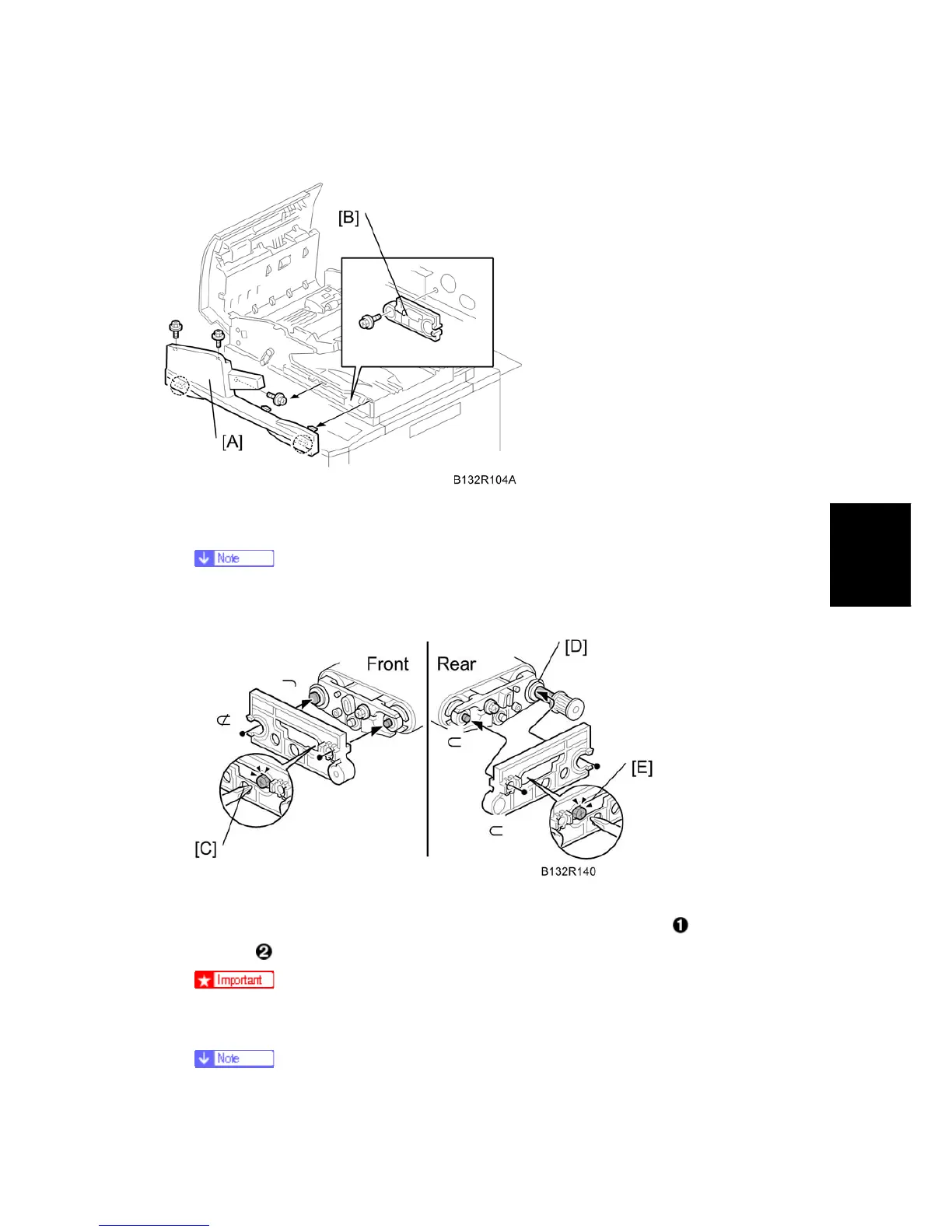
1. Remove the ADF front cover [A]
2. Take out the special tool [B].
The special tool [B] is attached to the front side plate. It is used to adjust the
tension on the belt on both ends of the shaft.
3. Fit the special tool onto the front (see "FRONT" in the above diagram).
4. Slowly loosen the front lock screw [C] until you see the tip of the shaft
aligned with
the hole
, then tighten the screw.
To avoid stripping the threads of the screws, do not apply excessive torque.
5. Remove the special tool and fit it onto the rear (see "REAR" in the above diagram).
If the Teflon sleeve has been reattached at [D], remove it. Do not reattach the



 To Next Page