ADF
D062/D063/D065/D066 4-130 SM
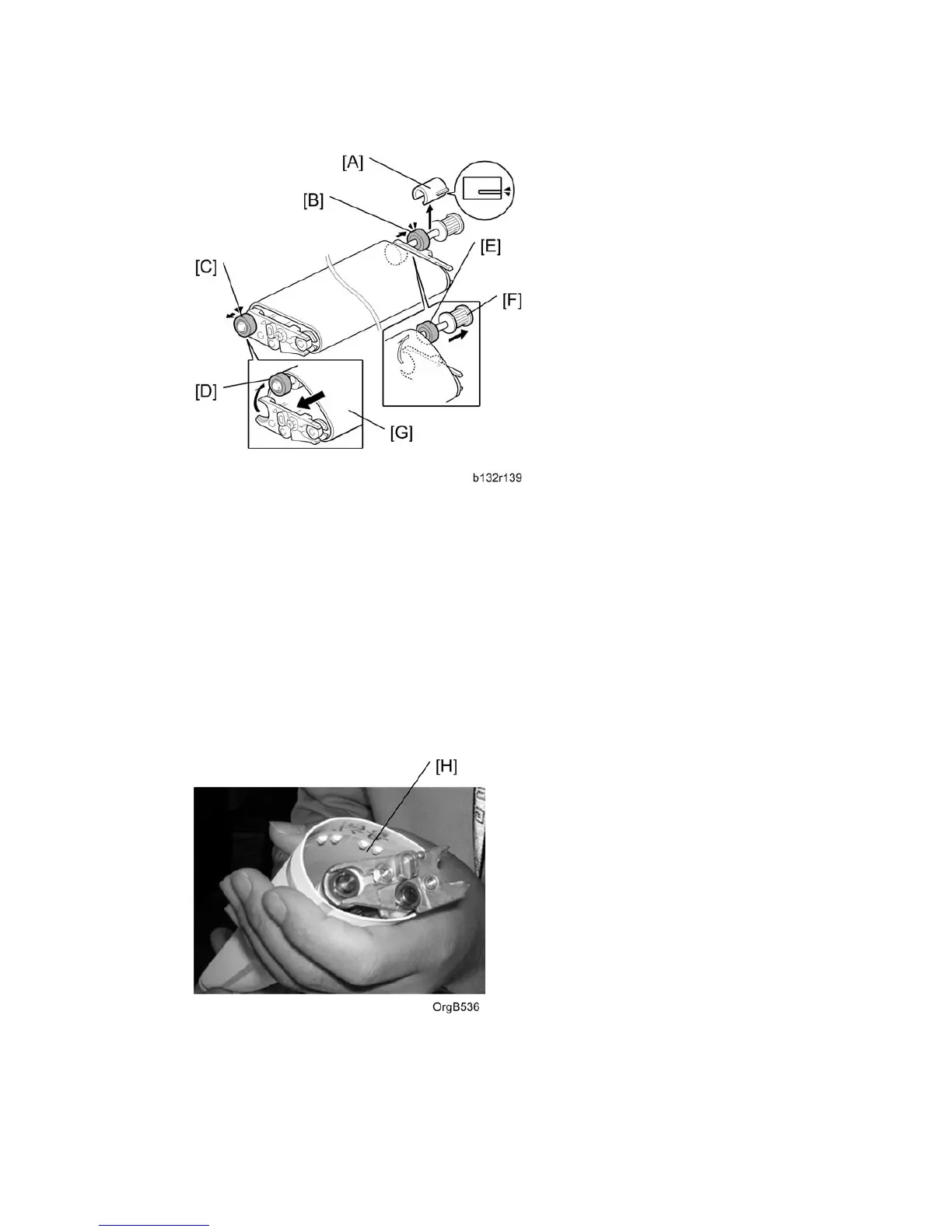
8. Remove the Teflon sleeve [A].
9. Push the rear shaft bearing [B] out of its bracket.
10. Push the front shaft bearing [C] out of its bracket.
11. Push the front end of the shaft [D] over the top of the bracket.
12. Push the rear end of the shaft [E] over the top of the bracket.
13. Pull the shaft [F] out of the belt.
14. Pull the belt [G] toward the front to remove it.
15. Slide the new belt over the assembly.
16. Insert the shaft [F] into the new belt, snap the shaft into its brackets, and push in the
shaft bearings.
17. Make sure that studs on the underside of the belt [H] are aligned with the grooves in
the Teflon rollers on each end of the shaft below.



 To Next Page