PCBs and HDD
D062/D063/D065/D066 4-108 SM
5. Turn the main switch on.
6. SC995-02 occurs and the machine rewrites SP5-811-005 automatically.
7. When the operation panel displays Copy Screen, turn the machine off and on.
8. Do the process control self-check.
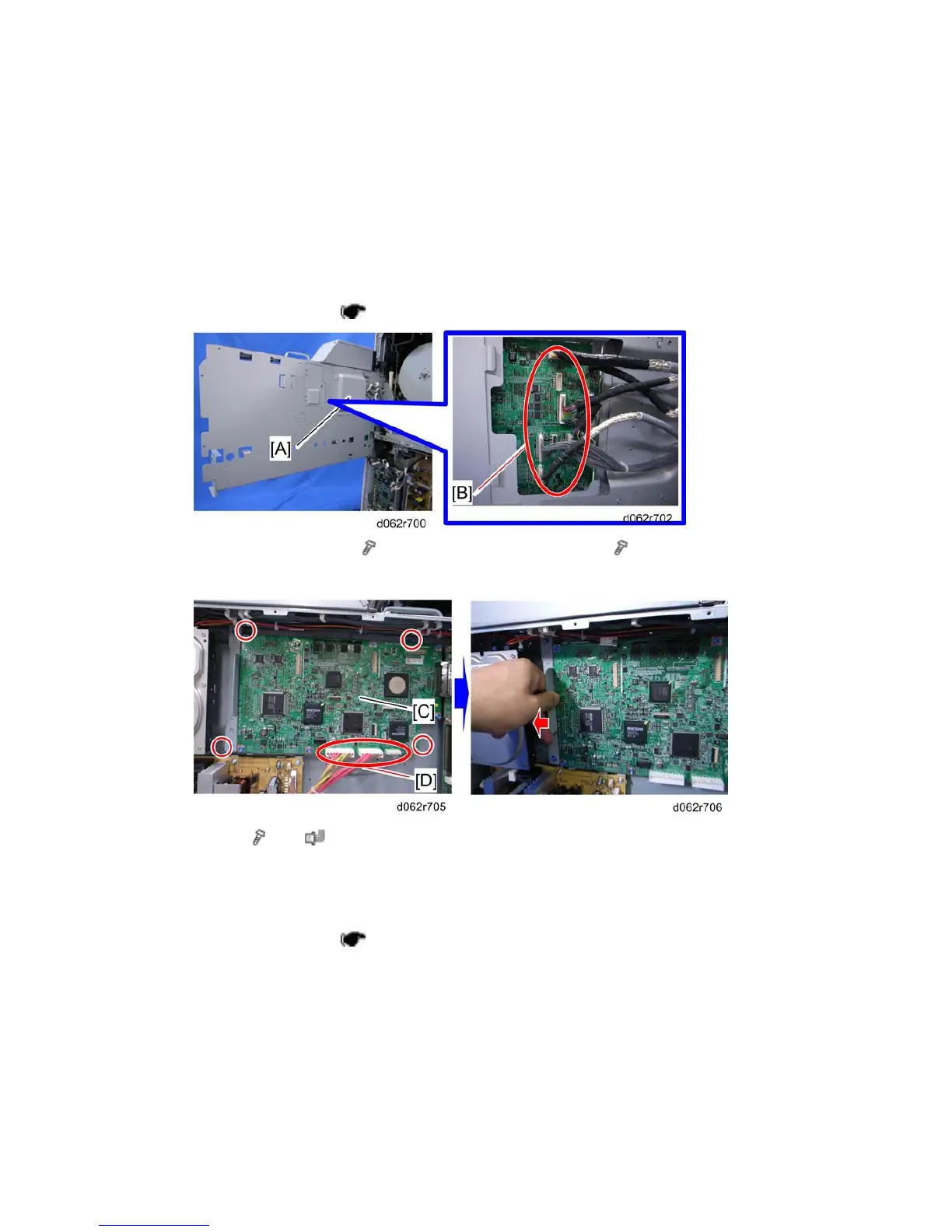
4.12.3 IPU
1. Controller box cover ( p.4-105)
2. Open the controller box (
x 3), then remove the bracket [A] ( x 2)
3. Remove all harnesses [B]
4. IPU [C] ( x 4, x 3 [D])
5. After removing screws and harnesses, pull the IPU to the left.
4.12.4 HDD
1. Controller box cover ( p.4-105 "CNT Board (Controller Board)")



 To Next Page