Fusing Unit
SM 4-61 D062/D063/D065/D066
Replacement
and
Adjustment
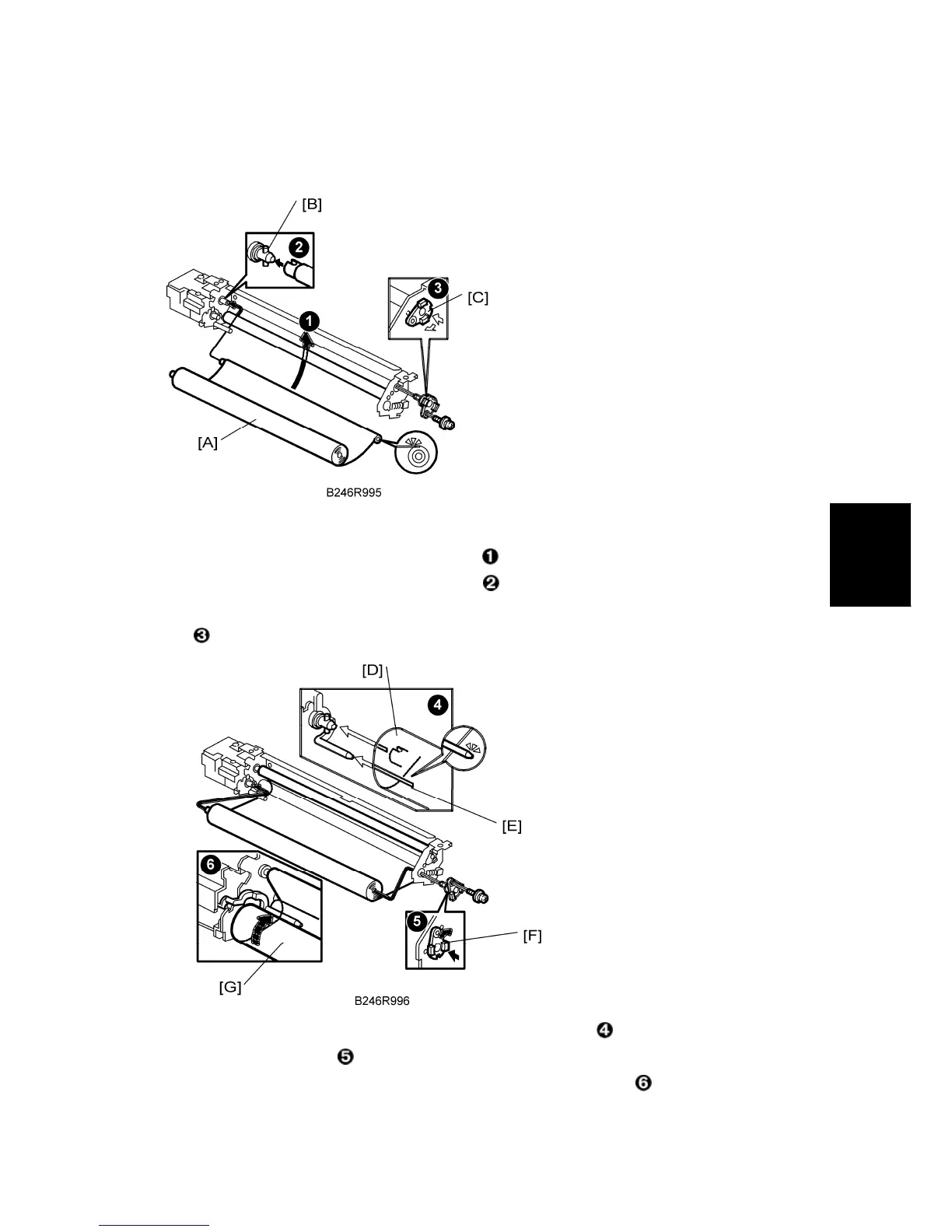
Web Unit Re-assembly
1. Attach the cleaning roller [A]
Insert the end of the web into the slot .
2. Insert the drive pins [B] into the web shaft
.
3. After installing bushing [C], rotate the shaft right to lock it, then attach the lock screw
.
4. Set the web [D] under the feeler [E] of the web end sensor
.
5. Attach bushing 2 [F]
.
6. Attach the new web roll [G] and wind it tight so no slack remains
.



 To Next Page