2000/3000-sheet Finishers (D373/D374)
SM 2-63 D062/D063/D065/D066
Installation
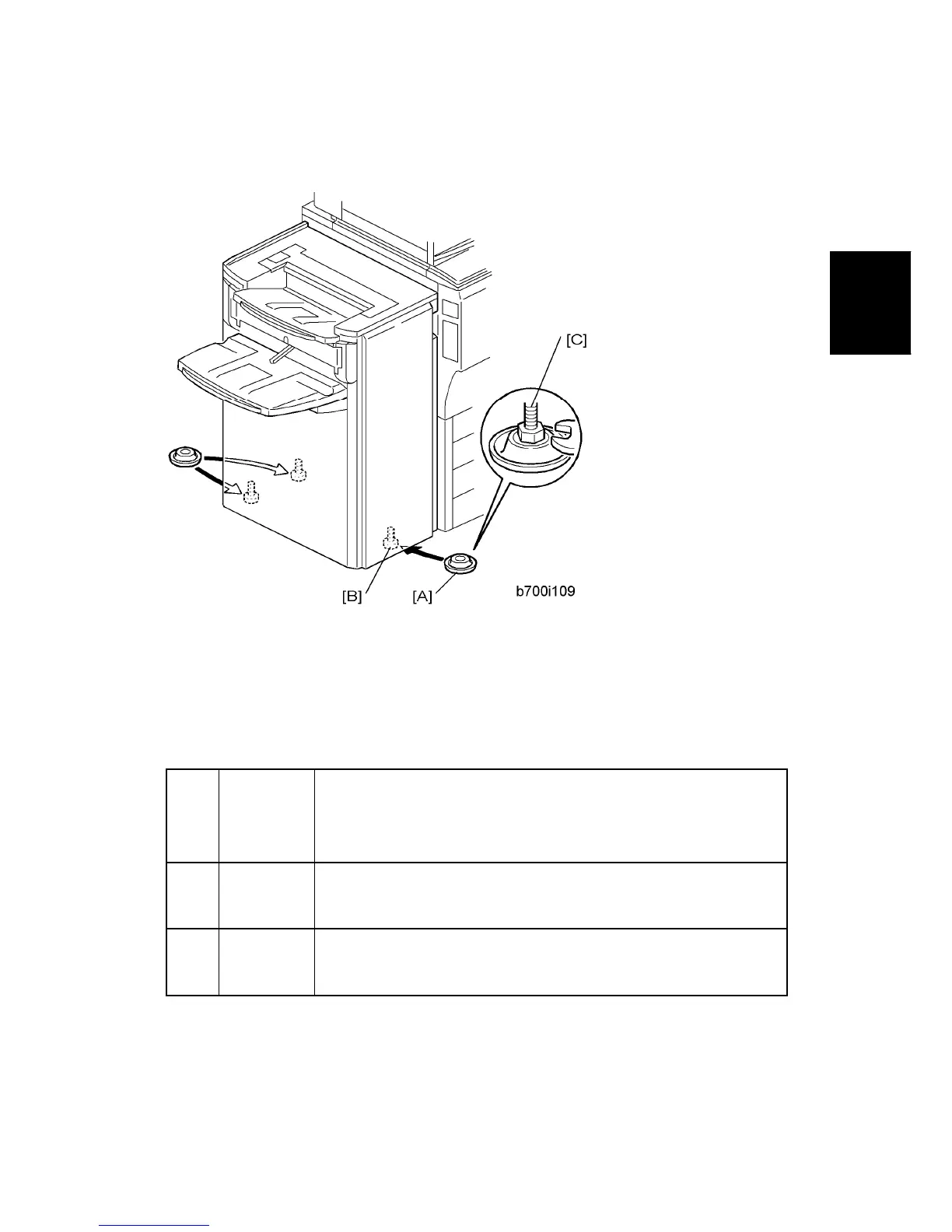
Leveling the Finisher
1. Set the leveling shoes [A] (x 3) under the feet [B].
2. Use a wrench to adjust the height of the screws [C] to level the machine.
Selecting the Staple Supply Name
Enter the SP mode and execute the following information.
5841*
Supply
Name
Setting
These names appear when the user prints the Inquiry List.
Press the Counter key, then press ‘Print Inquiry List’.
Press the Inquiry button on the initial User Tools screen.
013* Staple Std
Enter the name of the staples in use for normal stapling (not booklet
stapling). This setting should be done for both the D373 and D374.
022 Staple Bind
Enter the name of the staples in use for booklet stapling
(saddle-stitching). This setting is required only for the D373.
Enabling Booklet Binding (D373 Only)
To enable booklet binding (saddle-stitching) for the D373, you must make sure that the



 To Next Page