Transfer Belt Unit
D062/D063/D065/D066 4-52 SM
Avoid touching the belt with bare hands.
4.8.2 TRANSFER BELT REMOVAL
Remove:
Transfer belt unit ( p.4-51)
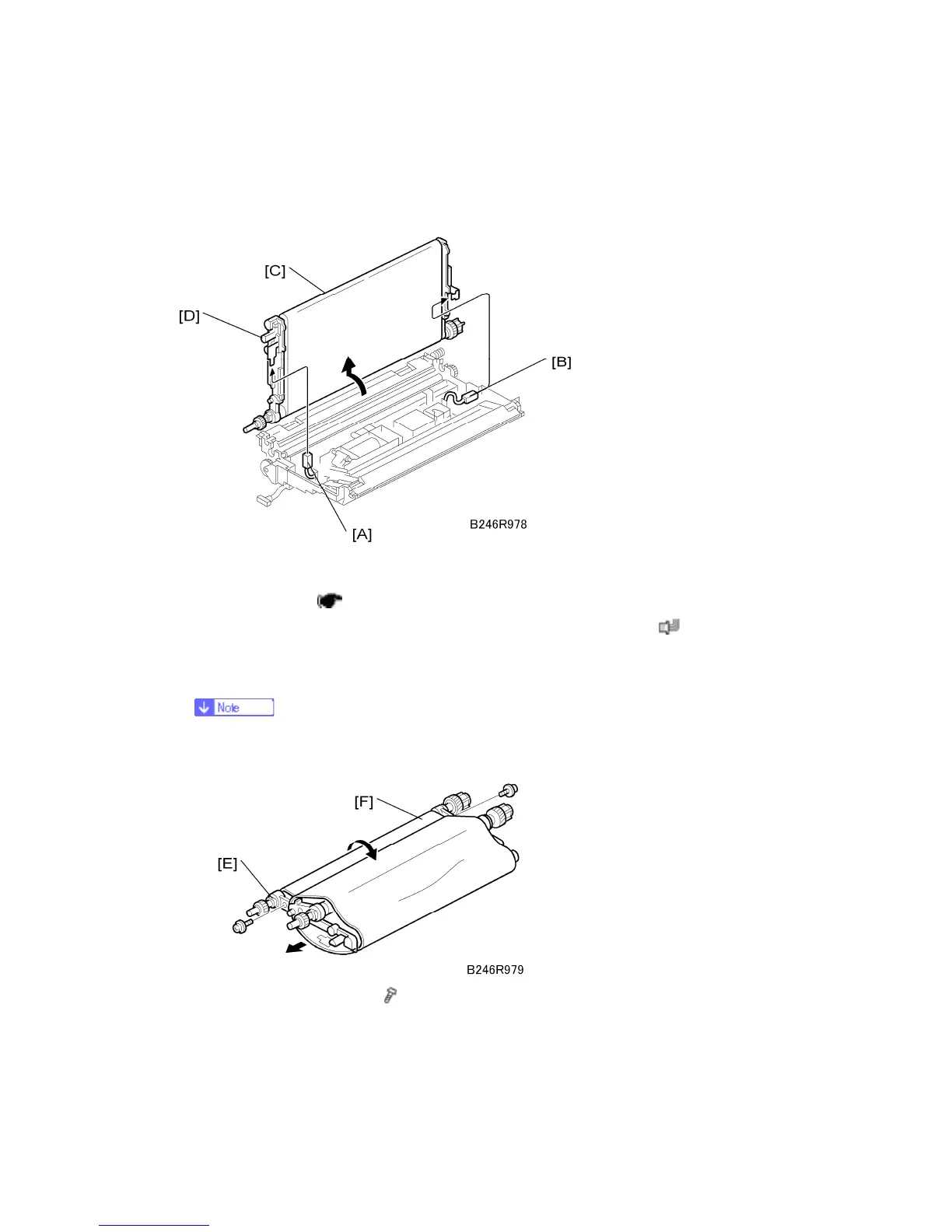
1. Disconnect the ground terminal [A] and transfer current terminal [B] (
x 2). While
doing this, hold the transfer belt unit [C] by its knobs [D].
2. Raise and stand the belt perpendicular to the unit and remove it.
To avoid scratching the belt on the guide, never rotate the belt unit farther than
90 degrees.
3. Release the drive roller [E] (
x 2).
4. Press in on the drive roller to collapse the unit into a “U” shape [F].
5. Remove the belt and replace it.



 To Next Page