Multi Folding Unit (D454)
SM 2-41 D062/D063/D065/D066
Installation
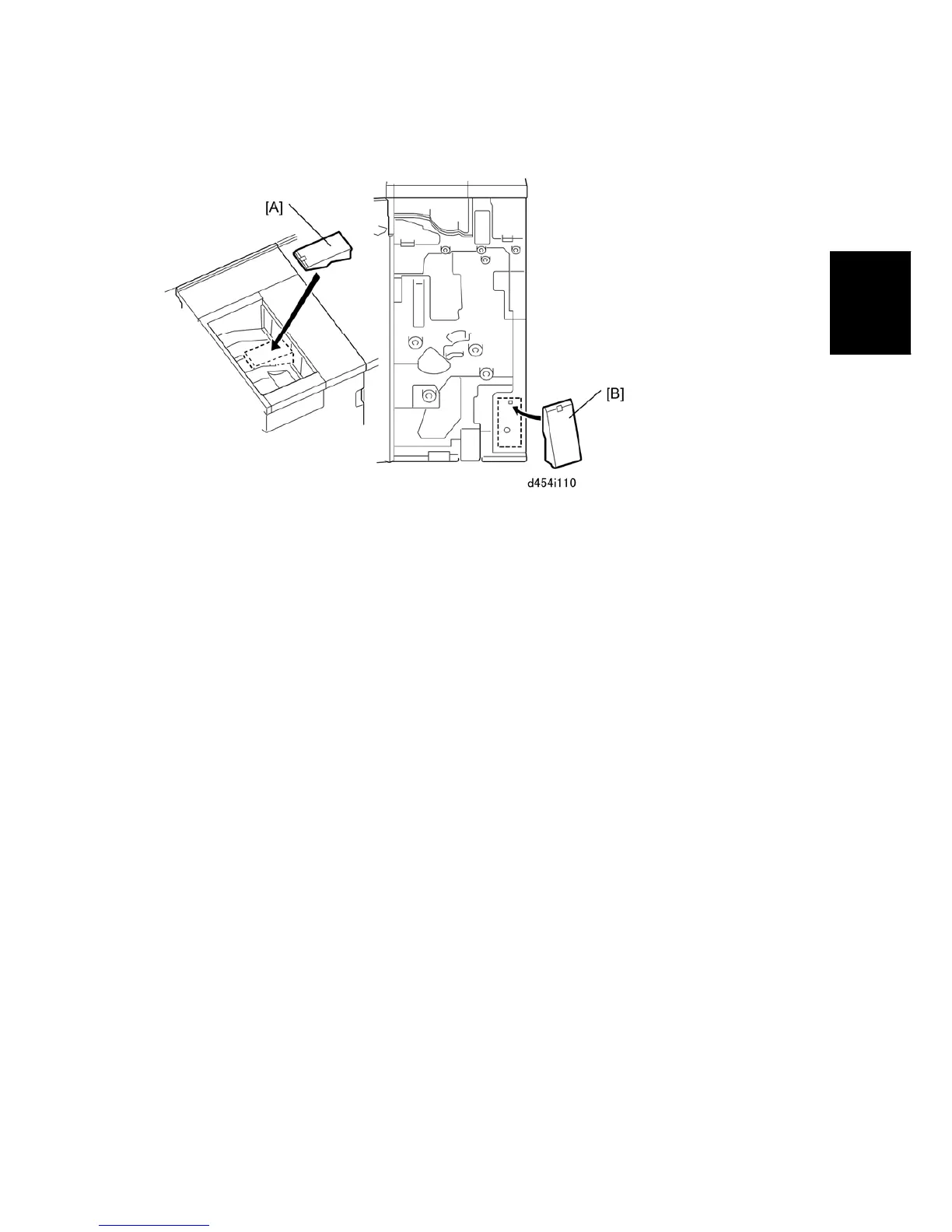
Proof Tray Auxiliary Plate
1. Install the proof tray auxiliary plate at [A].
Set the plate in the center aligned with the diagonal groove.
The back should be flat against the end fence.
2. When the plate is not being used, open the front door and store it at [B] inside the inner
cover.
The plate should be used when Z-folded paper (all sizes) is output to the proof
tray.
If the plate is not used with Z-folded output, the pages could mix and overlap.



 To Next Page