Duplex Unit
SM 4-75 D062/D063/D065/D066
Replacement
and
Adjustment
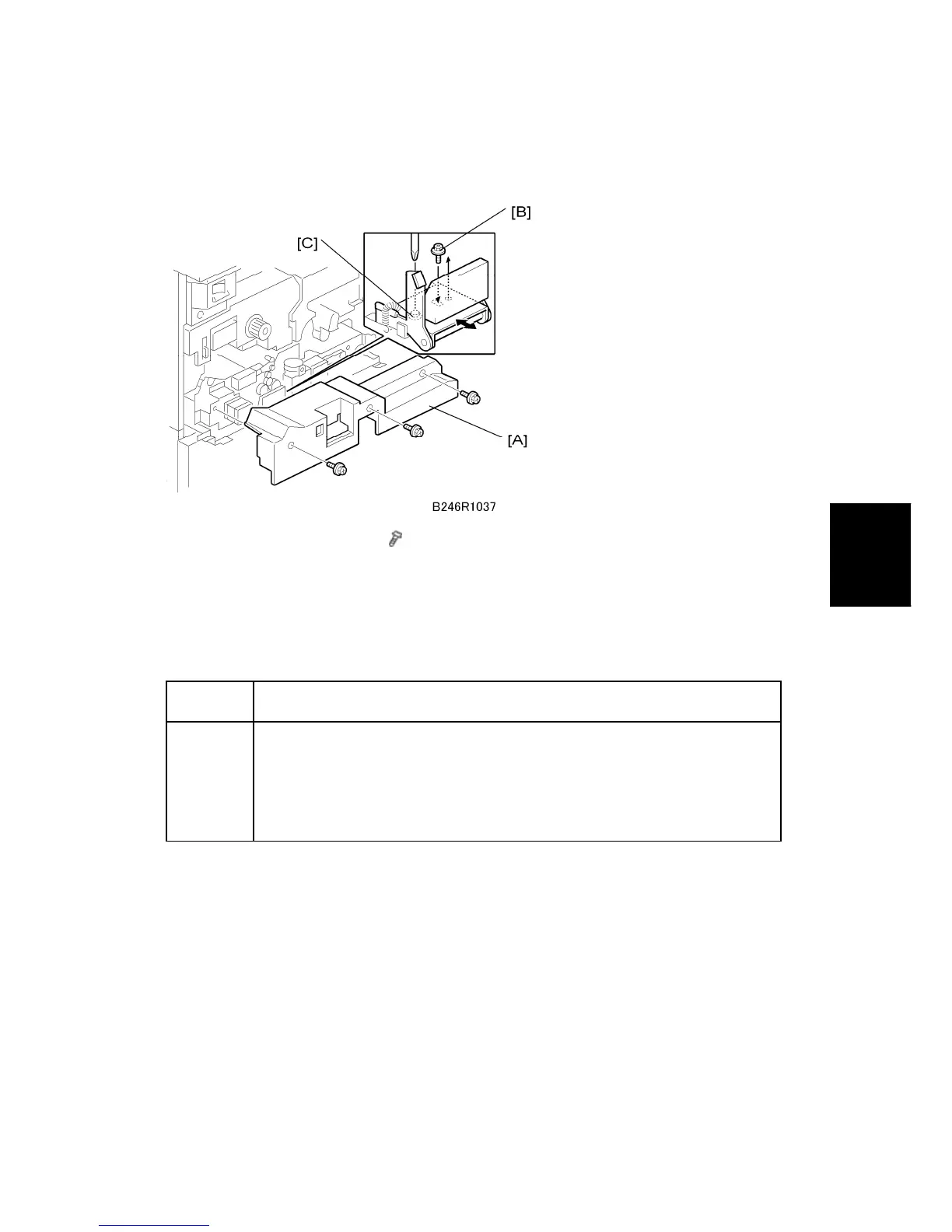
4.10.2 DUPLEX UNIT SIDE-TO-SIDE ADJUSTMENT
1. Remove the inner cover [A] (
x 3)
2. Move the handle lock screw [B] from the right to the center.
3. Loosen the left lock screw [C], then adjust the position of the duplex unit.
4.10.3 JOGGER FENCE ADJUSTMENT
SP1008 Duplex Fence Adjustment
Execute this SP to adjust the distance between the jogger fences, if
required. A smaller value shortens the distance. If the fences are too far
apart, skewing may occur in the duplex tray. If the fences are too close, the
paper may be creased in the duplex unit. For details, see "Service Tables".



 To Next Page