Scanner
D062/D063/D065/D066 4-10 SM
4.4 SCANNER
4.4.1 ADF AND TOP COVERS
ADF
Remove the following parts:
1. Rear upper cover and rear lower cover (
p.4-8 "Rear Covers")
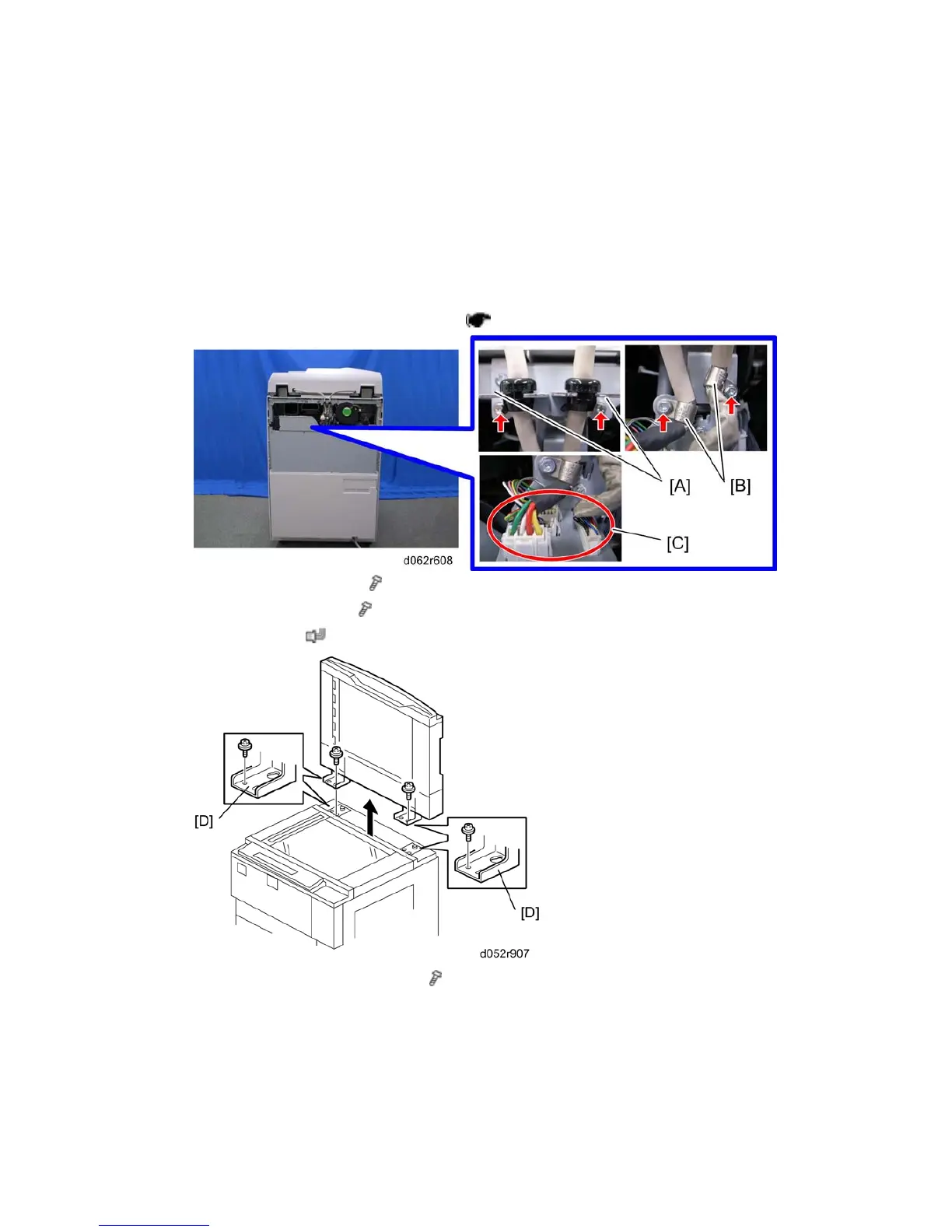
2. Cable brackets [A] (each x 1)
3. Nylon clamps [B] (each
x 1)
4. Connectors [C] (
x 4)
5. ADF base left and right plates [D] ( x 2)
While holding the ADF firmly, slide the ADF back and lift the large end of the
keyholes over the shoulder screws.



 To Next Page