Drum Unit
D062/D063/D065/D066 4-36 SM
Before installing a new blade, make sure that the blade side seals are not
pinched by the blade.
4.6.11 CLEANING BRUSH
Remove:
OPC drum (
p.4-30)
Drum cleaning blade (
p.4-35).
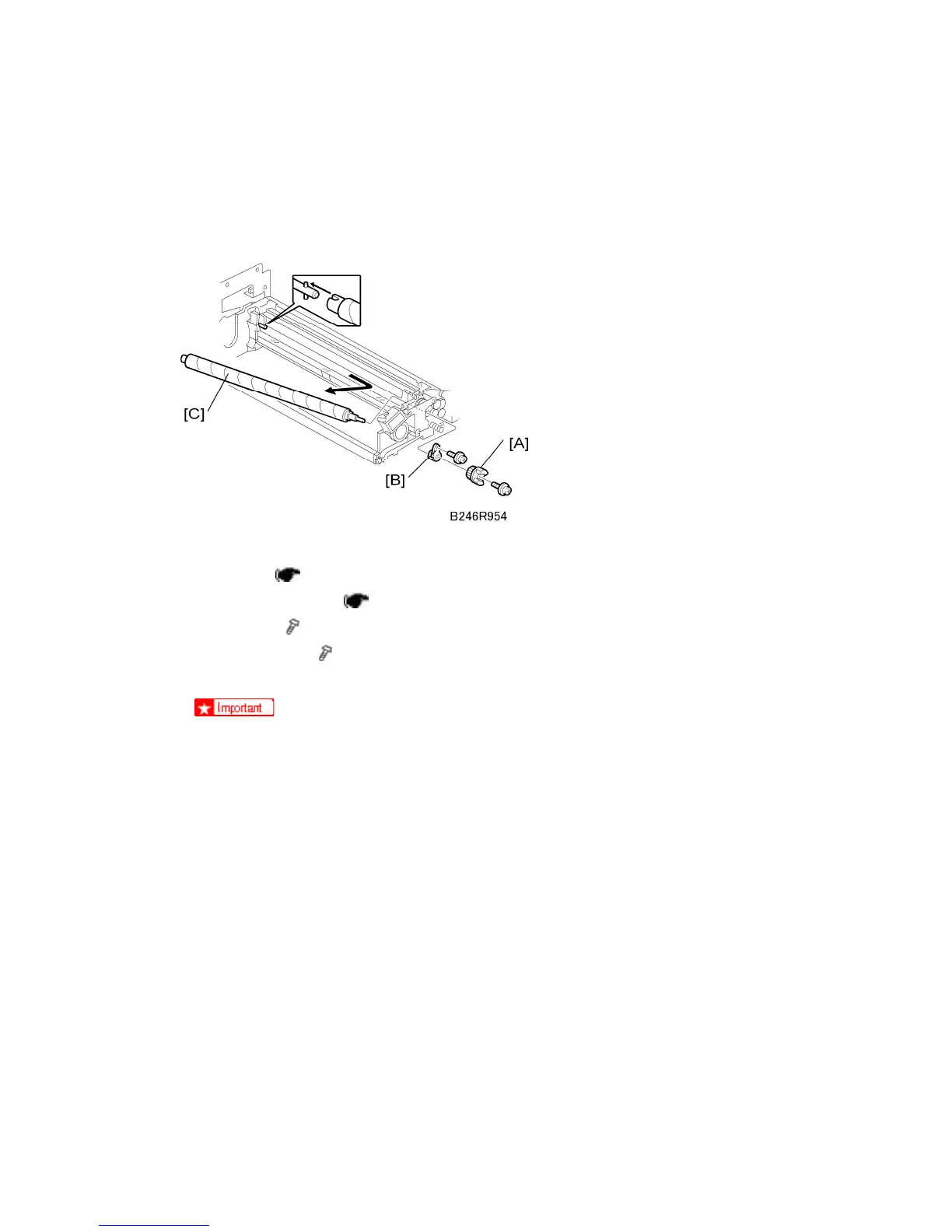
1. Coupling [A] (
x 1)
2. Inner bushing [B] (
x 1)
3. Cleaning brush [C]
Pull the shaft toward the rear to disengage the front of the shaft, then pull out.
After replacing the cleaning brush, clean the ID sensor to make sure that it is
clean and free of toner.
Avoid touching the cleaning brush with bare hands.
Check the entrance seals and confirm that they are not bent.



 To Next Page