Cover Interposer Tray (B704)
D062/D063/D065/D066 2-76 SM
Attaching the Interposer Tray (D373/D374/D460)
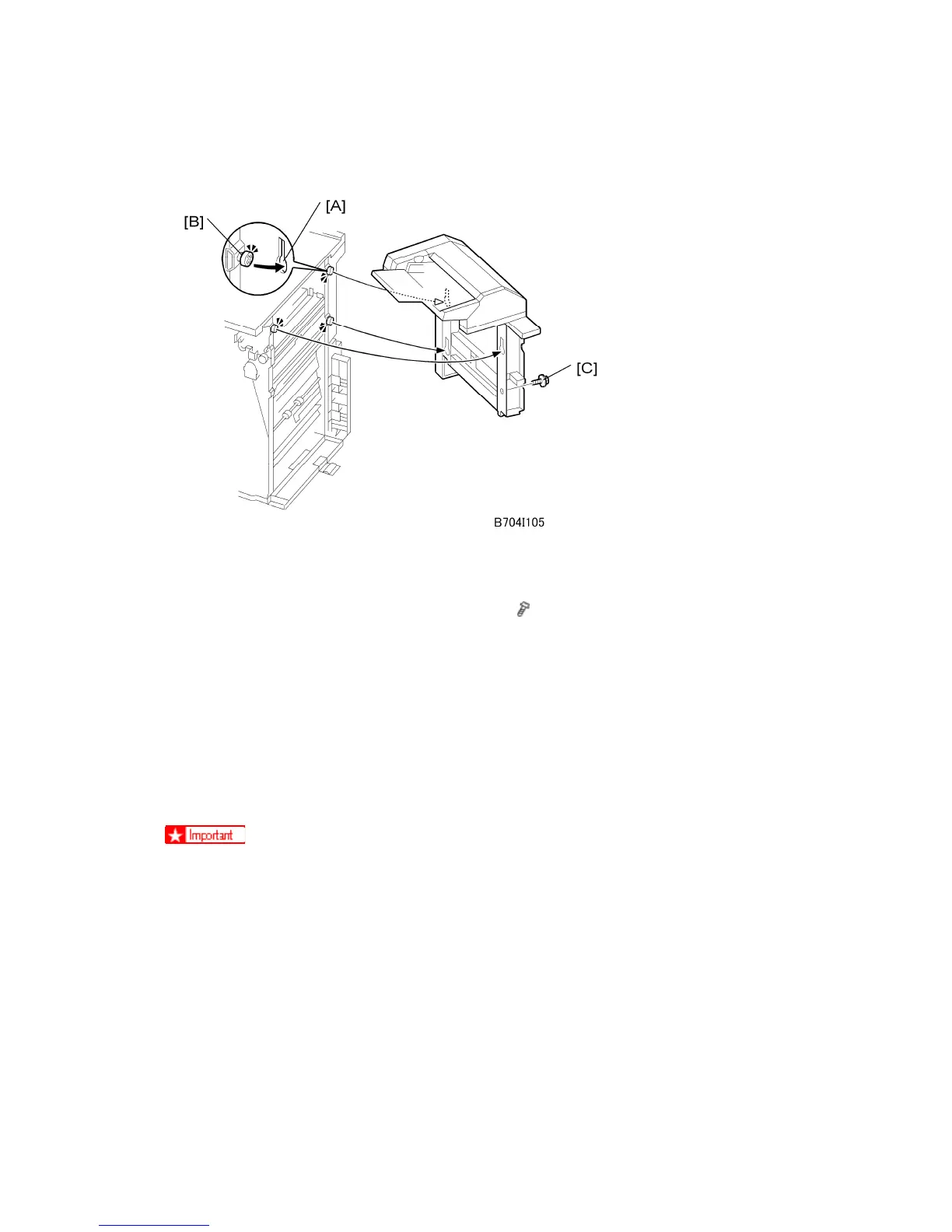
1. Pick up the cover interposer tray, align the keyholes [A] with the shoulder screws [B],
then slide the cover interposer down onto the screws.
2. Secure the cover interposer with the screw [C] (
x 1, M3 x 6).
3. Either:
If you are installing the cover interposer tray on the D373/D374, skip the next
section and go directly to “Docking the Finisher and Interposer to the Machine”.
If you are installing the cover interposer tray on the D460, go to the next section,
install the corner plates on the D460, then go to “Docking the Finisher and
Interposer to the Machine”.
Attaching the Corner Plates for the D460
The corner plates are installed on the D460 only.
Right Rear Corner Plate (D460 only)



 To Next Page