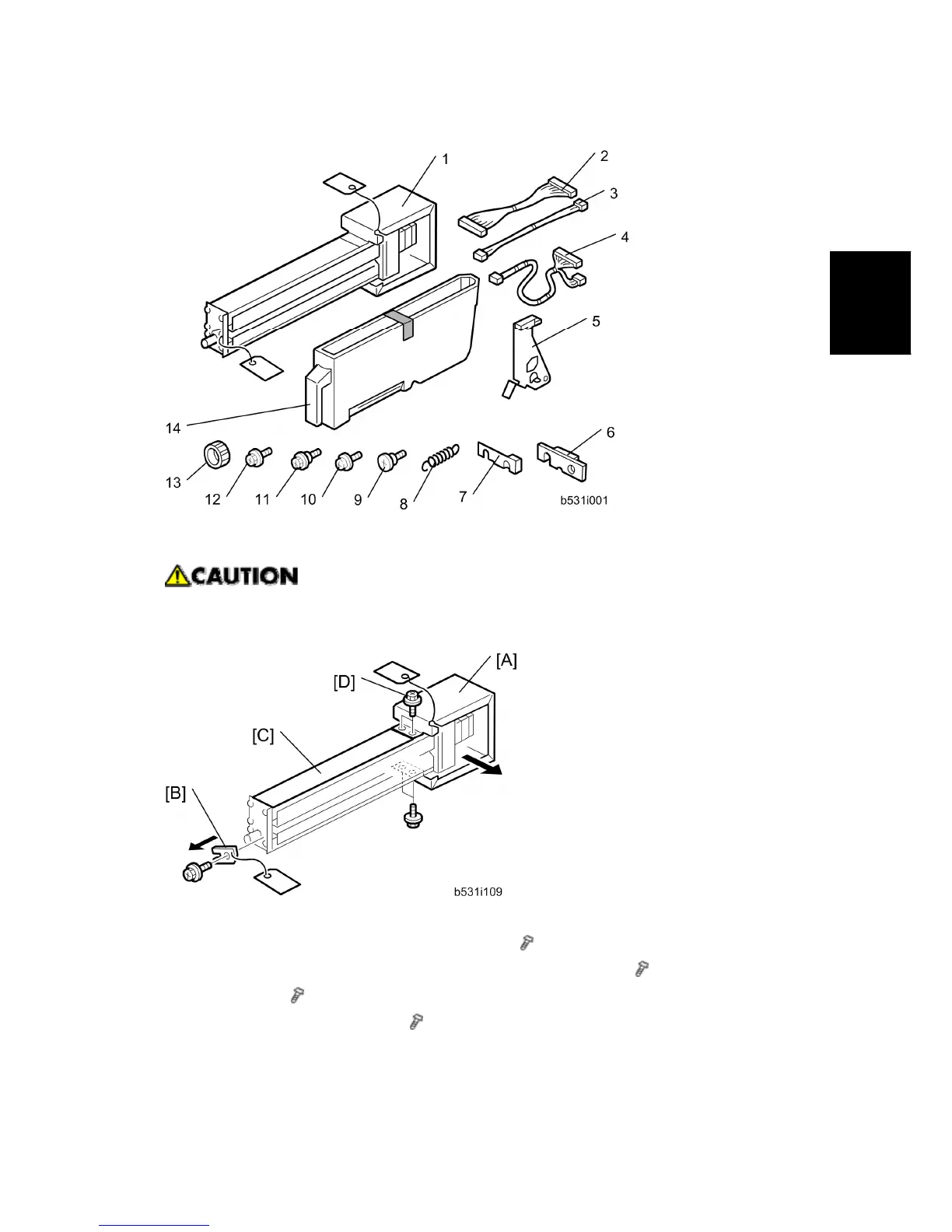
Punch Unit (B531)
SM 2-49 D062/D063/D065/D066
Installation
2.8.2 INSTALLATION
Switch the machine off and unplug the machine before starting the following
procedure.
1. If the finisher is connected to the machine, disconnect it.
2. Open the front door and remove the rear cover ( x 2).
3. Unpack the punch unit and remove the motor protector plate [A] (
x 4) and the cam
lock plate [B] (
x 1).
4. Reattach the cover bracket [C] (
[D] x 2).



 To Next Page