Exterior and Inner Covers
SM 3 D454
Multi-Folding
Unit FD5000
D454
2. Remove the knobs [A] ( x 1 each).
3. Inner upper cover [B] (
x 2)
Release the hooks [C] to remove the inner upper cover.
1.1.4 FRONT DOOR
1. Top cover ( p.2)
2. Inner upper cover ( p.2)
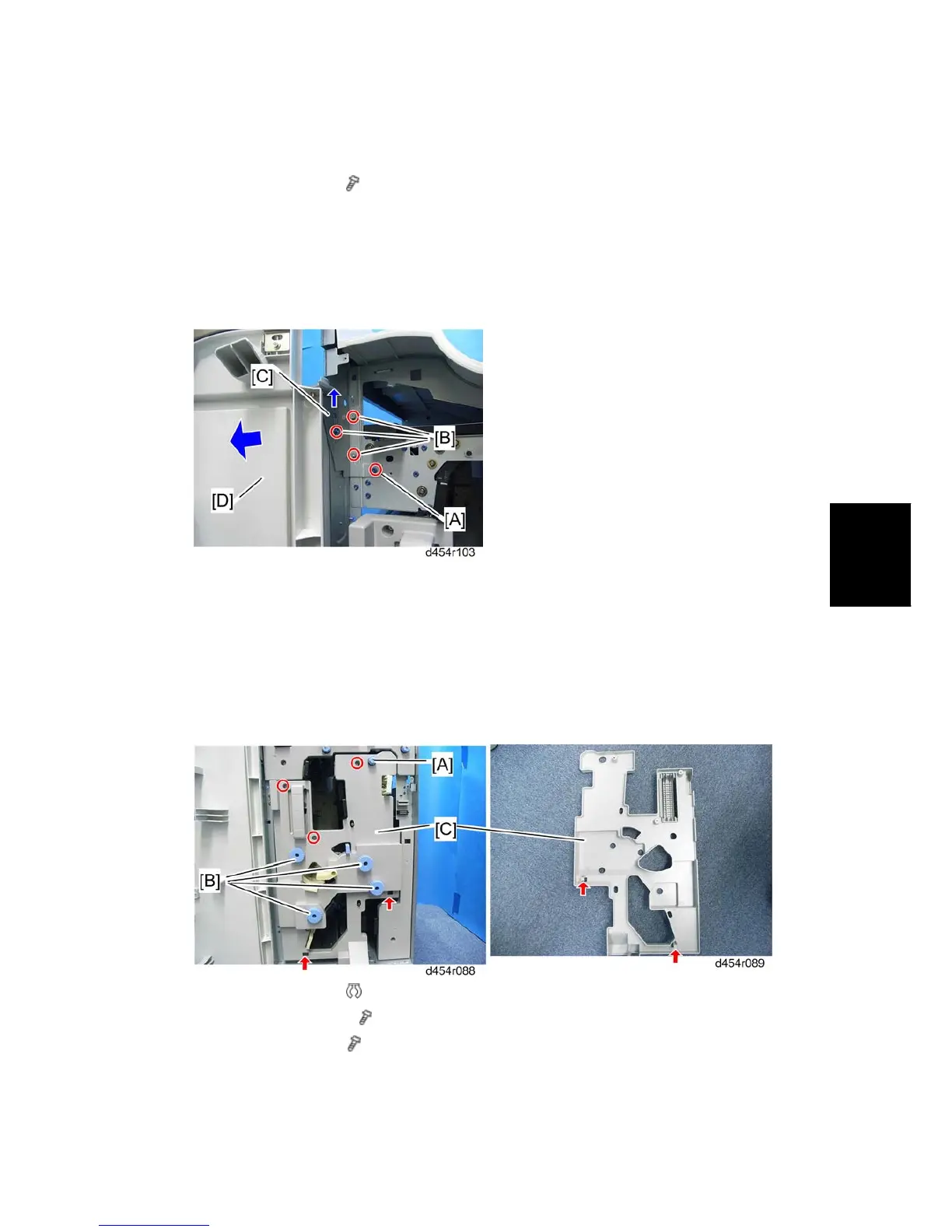
3. Remove the screw [A].
4. Loosen three screws [B].
5. Lift up the hinge bracket [C].
6. Front door [D]
1.1.5 FOLDING UNIT COVER
1. Open the front cover.
2. Remove the knob [A] (
x 1).
3. Remove four knobs [B] (
x 1 each).
4. Folding unit cover [C] (
x 3, hook x 2)



 To Next Page