ADF
D062/D063/D065/D066 4-128 SM
1. CIS Power Supply Board
2. Exit sensor bracket [A] (
x 1)
3. Exit sensor [B] (
x 1)
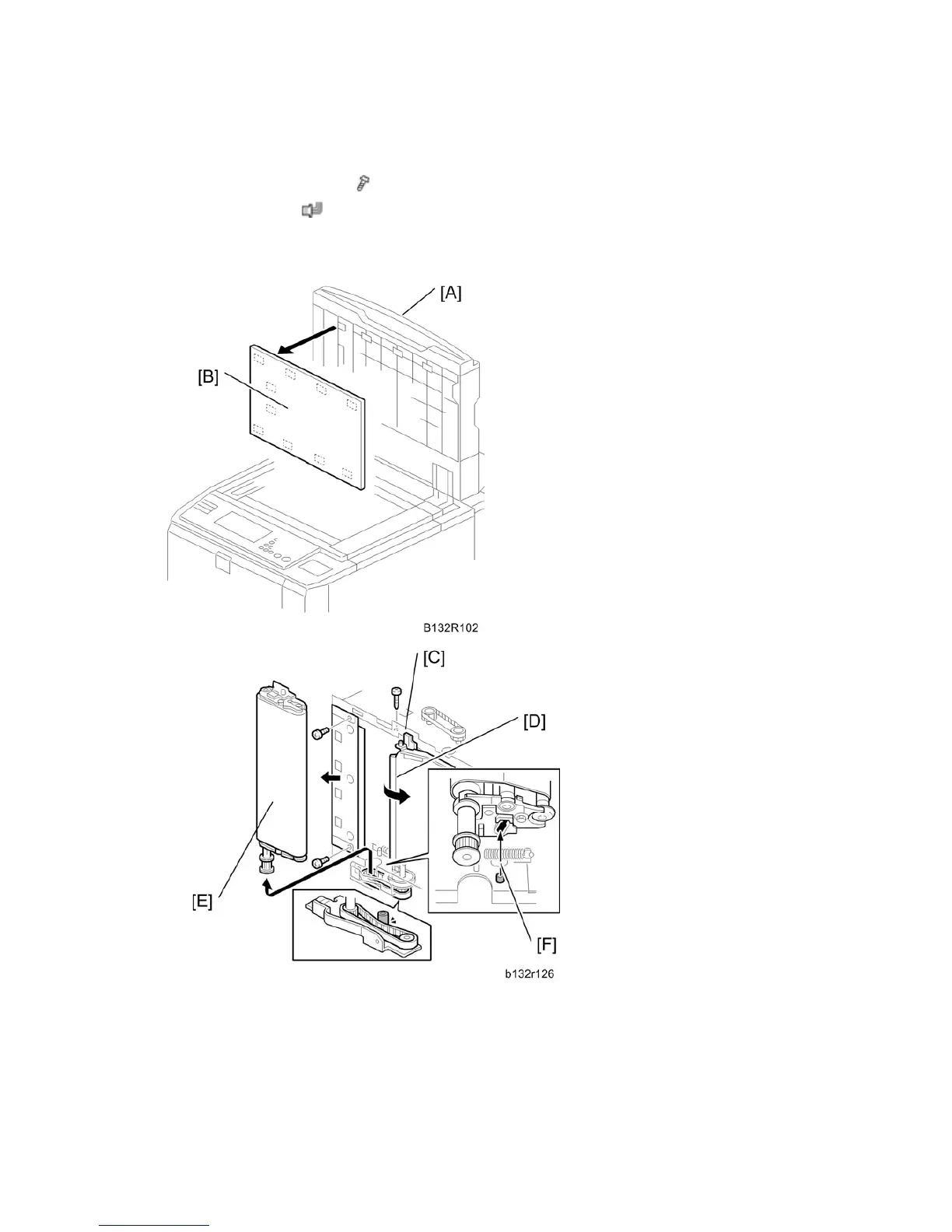
4.13.17 ADF TRANSPORT BELT ASSEMBLY
1. Open the ADF.
2. Raise the ADF [A] to the vertical position.
3. Pull off the white cover [B] (Velcro fasteners)
4. Release the stopper pin [C] of the transport guide [D].



 To Next Page