Drum Unit
SM 4-35 D062/D063/D065/D066
Replacement
and
Adjustment
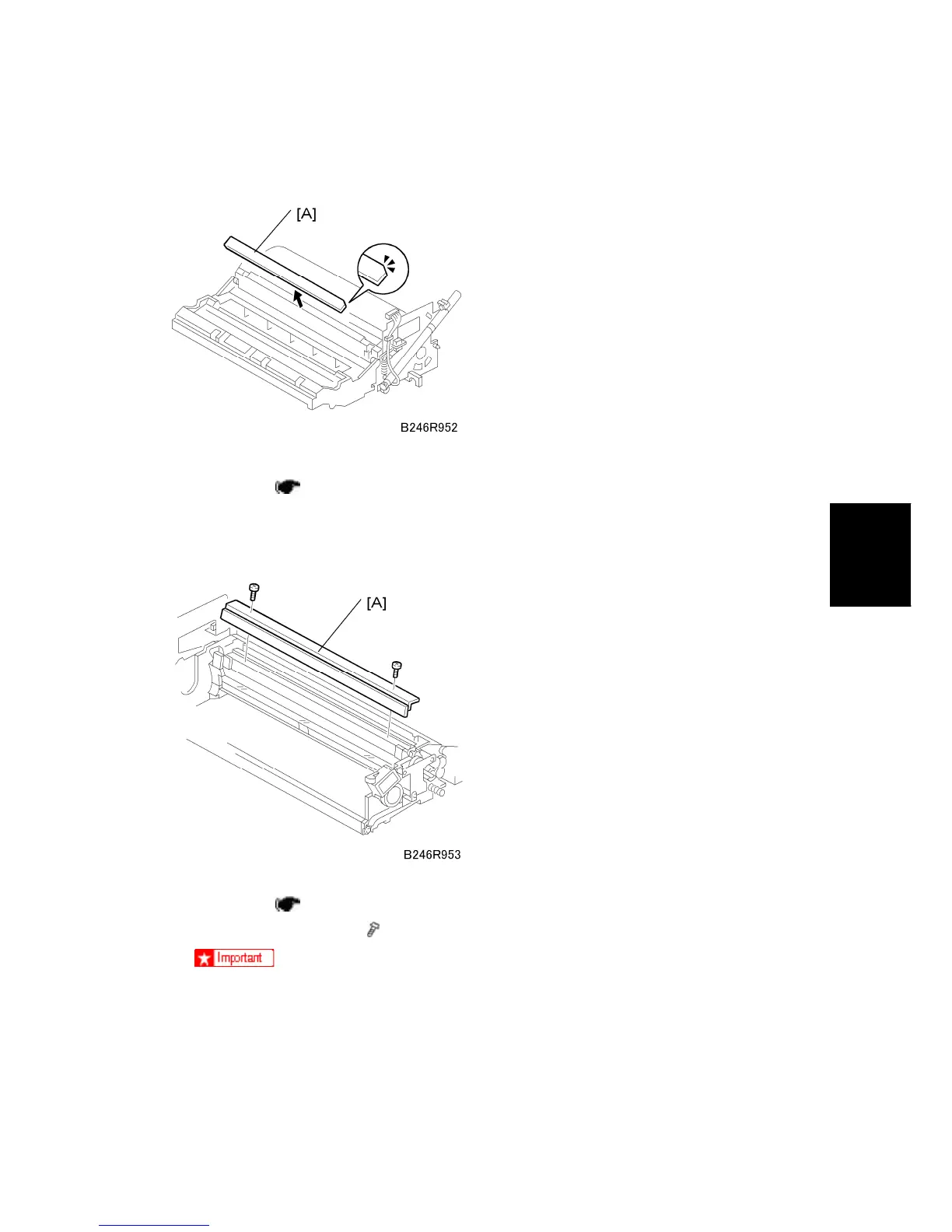
4.6.9 CLEANING FILTER
Remove:
OPC drum ( p.4-30)
1. Cleaning filter [A]
4.6.10 CLEANING BLADE
Remove:
OPC drum (
p.4-30).
1. Drum cleaning blade [A] (
x 2)
Clean the blade edge carefully with only a soft, clean cloth.
Handle the blade carefully to avoid nicking its edge.
New blades are treated with special setting powder, so avoid touching the
edge of a new cleaning blade. If the edge of a new blade is accidentally wiped
clean, dust it lightly with some toner before installing it.



 To Next Page