LCT (B473)
SM 2-27 D062/D063/D065/D066
Installation
Preparing the Main Machine
Switch the machine off and unplug the machine before starting the following
procedure.
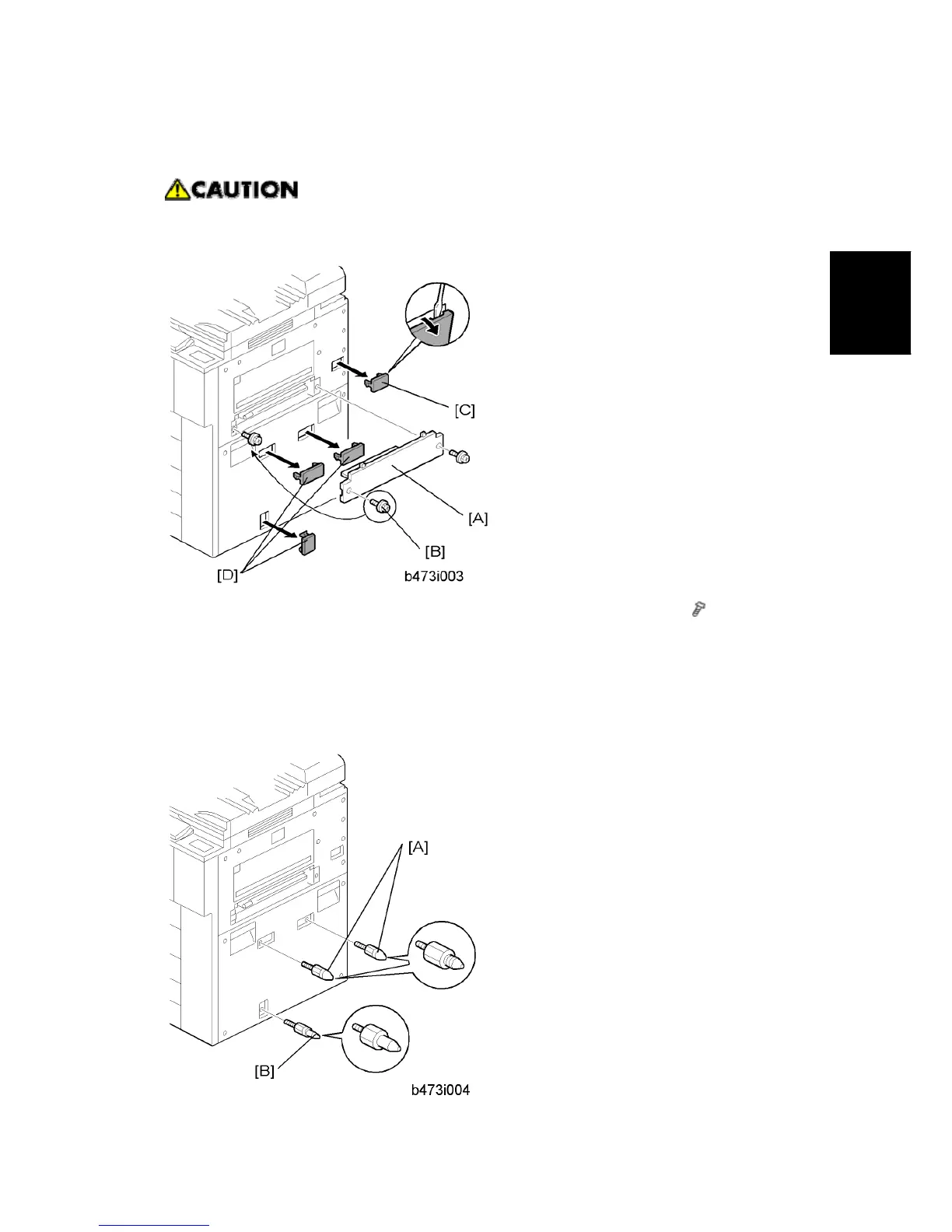
1. Remove the LCT installation cover [A] from the right side of the machine (
x 2).
2. Save the screw on the left [B]. You will need it to install the LCT.
3. Remove the LCT connector cover [C] (x 1) and the covers over the holes for the
docking pins [D]. (x 3)
Installing the LCT



 To Next Page