LCT (B473)
D062/D063/D065/D066 2-28 SM
1. Insert the two upper docking pins (grooved) [A] into the upper slots and the lower
docking pin [B] into the lower slot.
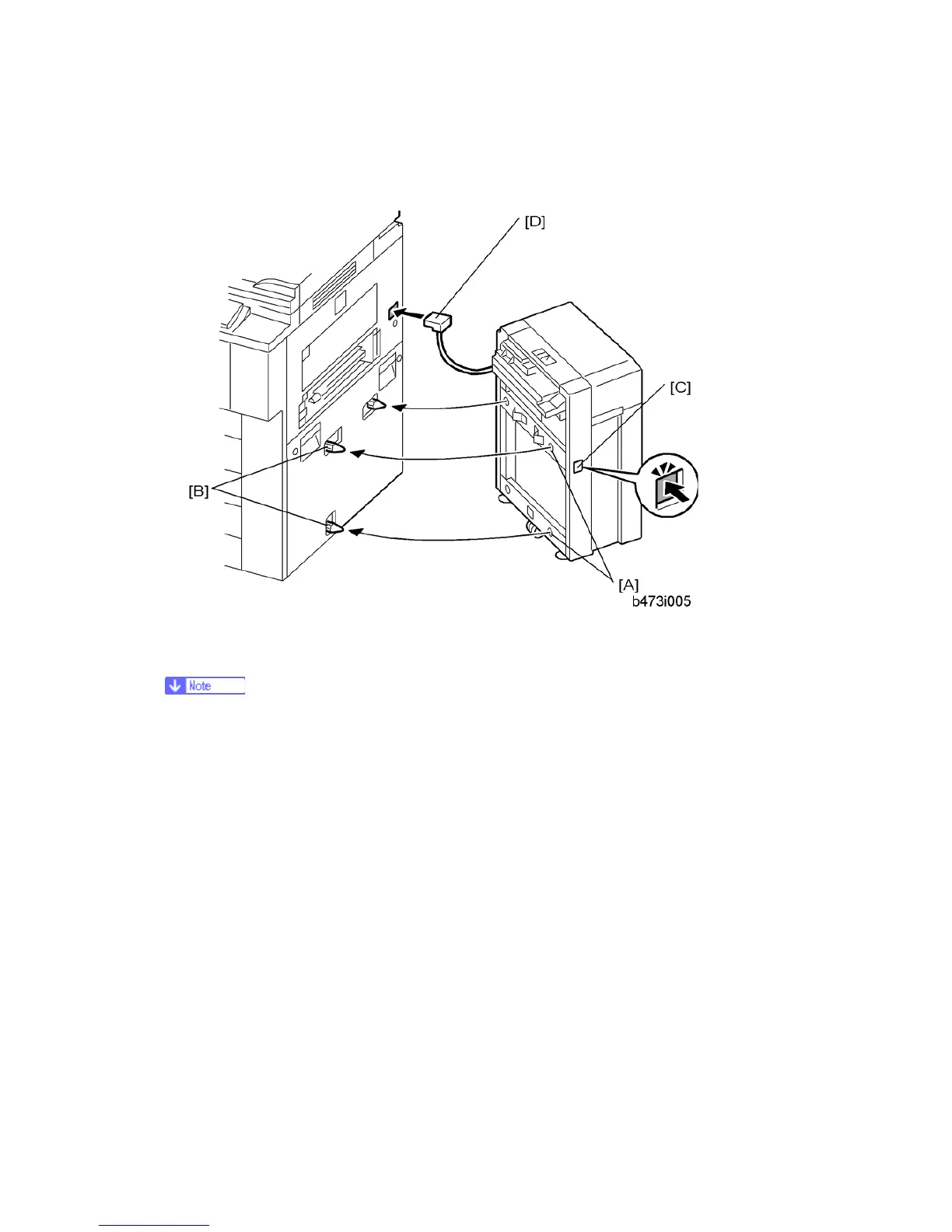
1. Align the holes on the side of the LCT [A] with the docking pins on the side of the
machine [B], then slowly push the LCT onto the pins.
The release button [C] is used to unlock the LCT so it can be disconnected from
the machine.
1. Connect the plug [D] of the LCT power cord to the side of the machine.



 To Next Page