Main Machine
D062/D063/D065/D066 2-8 SM
Description Q’ty
19 DHCP Sheet 1
20 Decal: License Agreement 18 Languages (-28, -57, -67 only) 1
21 TEL Name Sheet (-21 only) 1
2.2.2 INSTALLATION PROCEDURE
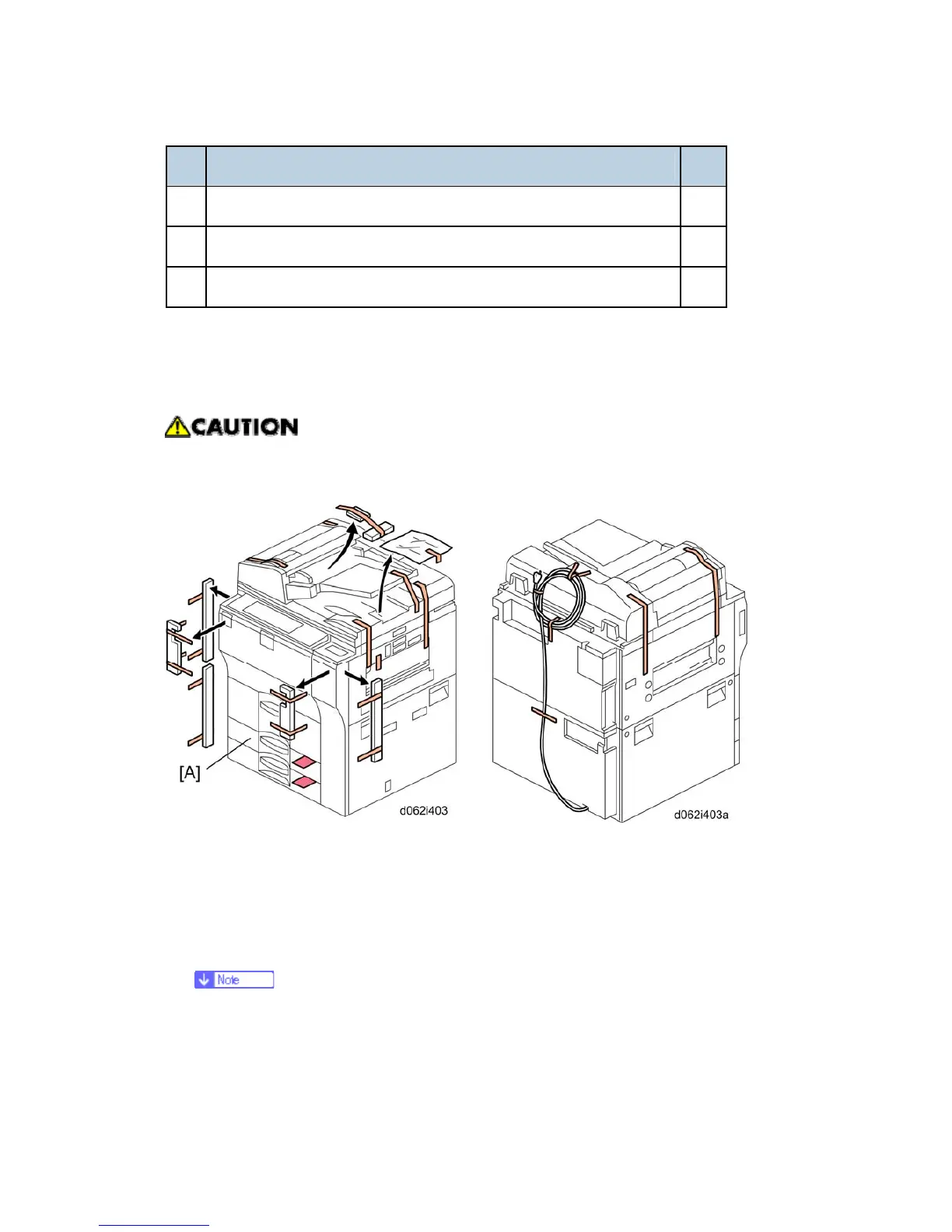
Removing Tapes and Retainers
To avoid serious injury, do not connect the power plug to the machine until you are
instructed to do so.
1. Unpack the machine and remove all the wrapping.
2. Remove all filament tape from the front of the machine.
3. Open the lower tray [A] and remove the operating instructions holder and foot risers.
4. Open the ADF feed cover and remove the tape and retainer.
5. Remove the tape from the back of the machine.
Save the filament tape and shipping retainers to prepare the machine for
shipping in the future.



 To Next Page