Fusing Unit
D062/D063/D065/D066 4-70 SM
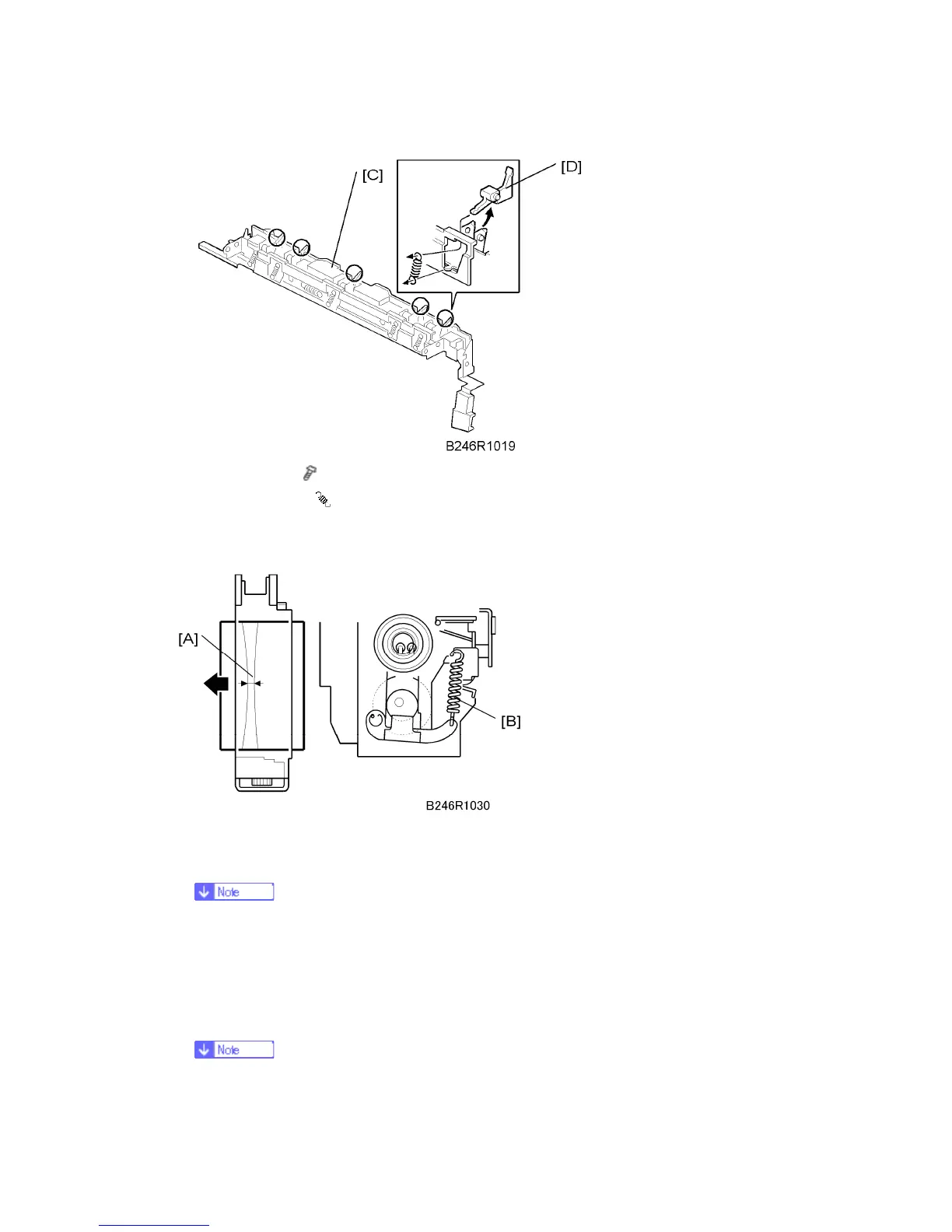
3. Inner cover [C] (
x 2)
4. Stripper pawl [D] (
x 1)
4.9.9 NIP BAND WIDTH ADJUSTMENT
1. After the machine is powered on with the main switch, make an A4/LT LEF copy, then
stop the machine while the paper is still in the fusing unit by switching it off.
This is easier with an OHP sheet. Use an OHP sheet if you have one
available.
2. Open the front door, then turn the fusing knob to feed out the copy.
3. Measure the width of the band on the part of the image where it is particularly black.
The band, called the nip band [A], should be 9.0 ± 0.7 mm at the center.
When the fusing is incorrect (wrinkles, offset, curl), measure the nip band



 To Next Page