A3/DLT Feeder Kit (D482)
SM 2-25 D062/D063/D065/D066
Installation
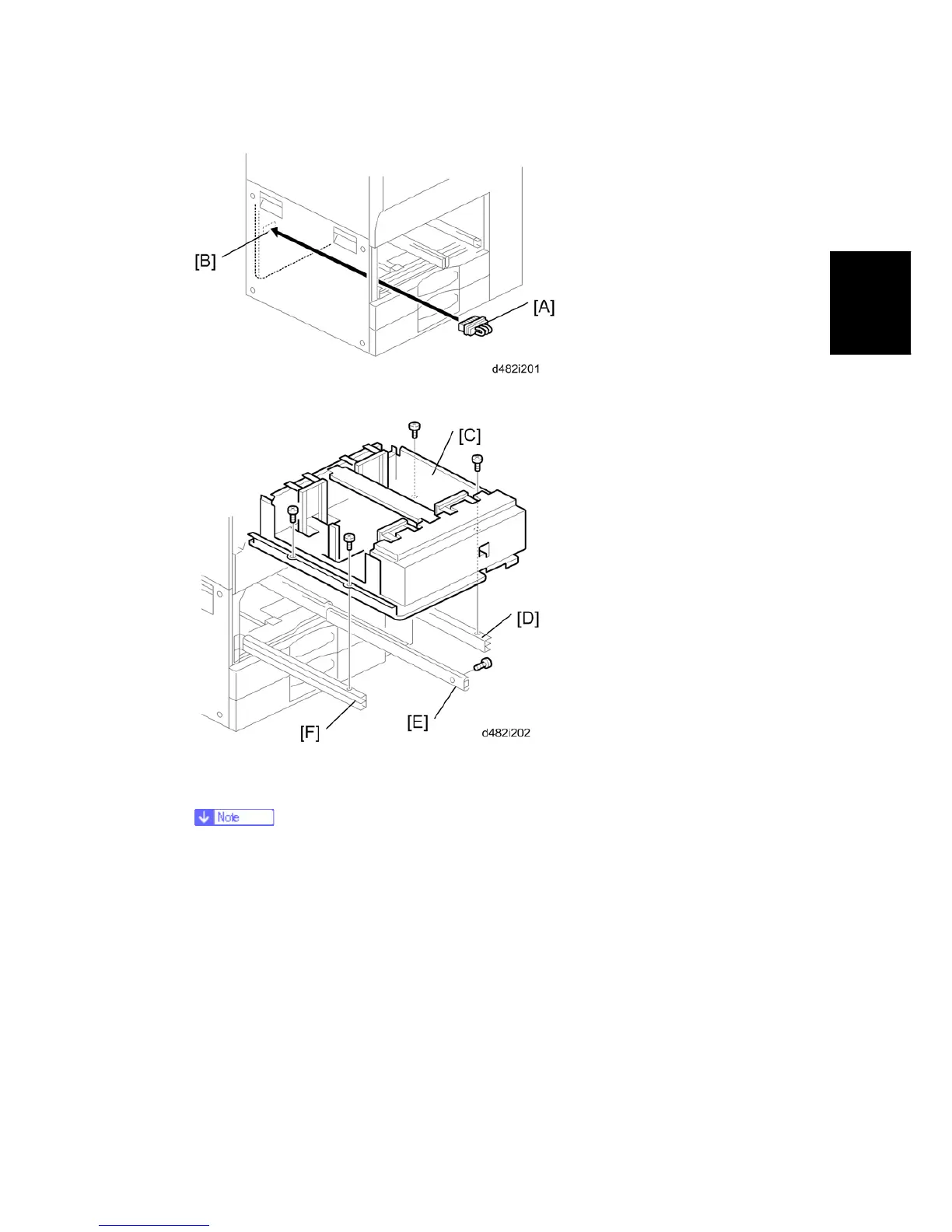
8. Connect the short connector [A] to the left tandem tray terminal [B].
9. Install the A3/DLT tray [C] on the right rail [D], center rail [E], and left rail [F]. Use the
screws that you removed in Steps 3 and 4.
You must use the short, silver screws on the left and right rails. If you use one
of the longer screws, it will stop the movement of the tray on the rails.
10. .Re-install the front cover.
11. Switch the machine on, enter the SP mode and select the paper size for Tray 1 with
SP5959-001 (Paper Size – Tray 1). For details, see SP5959 in “Service Tables”.
12. Attach the appropriate decal for the selected paper size.



 To Next Page