Paper Feed
D062/D063/D065/D066 4-104 SM
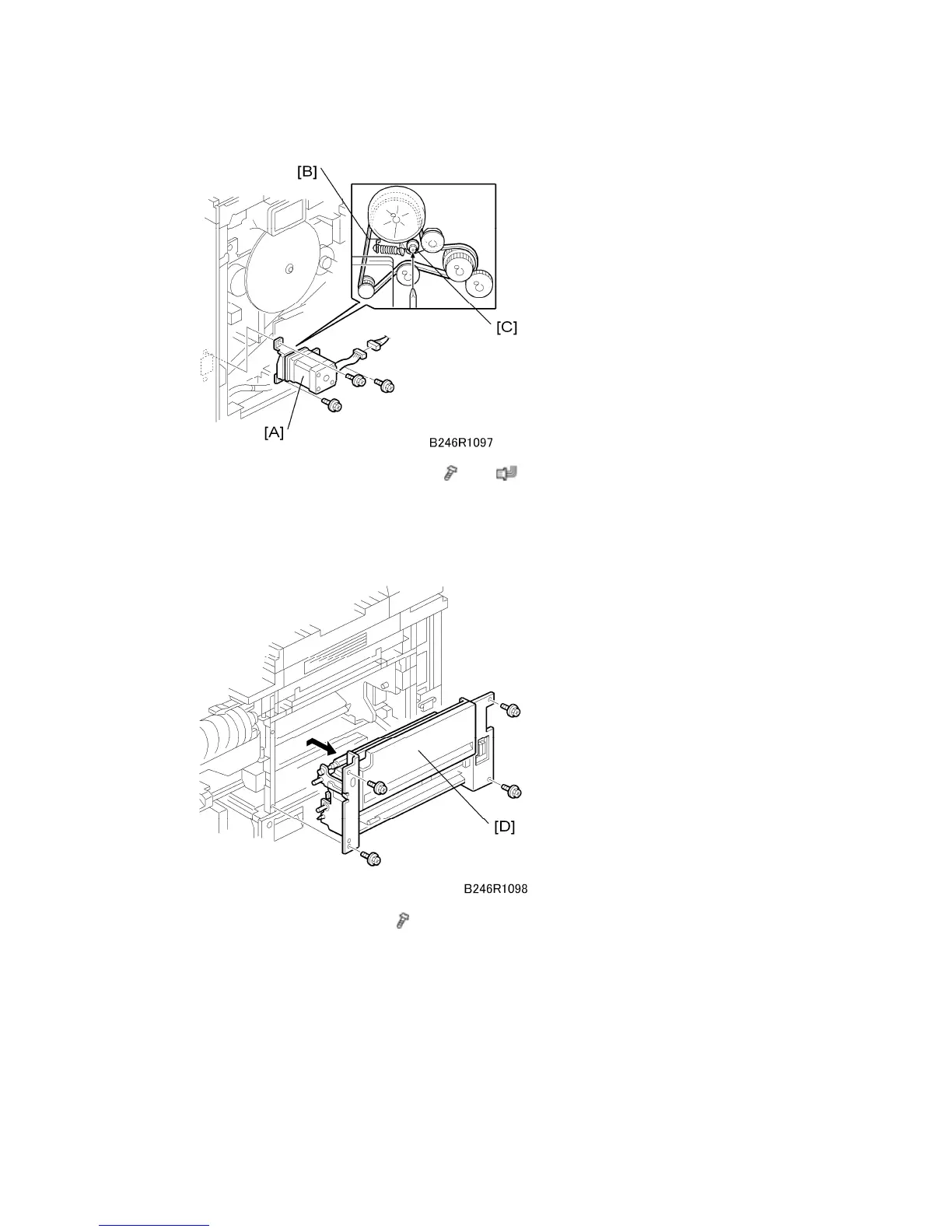
8. Remove the by-pass feed motor [A] (
x 3, x 1).
At re-installation, if the tension of the belt [B] is slack, loosen the screw on the
tension bracket [C], move the screw to put more tension on the belt, then tighten
the screw at the new position.
9. Remove the by-pass unit [D] (
x 4).
When removing and installing the by-pass unit:
Make sure that the unit does not catch on any harnesses.
On re-installation, make sure that no harnesses are pinched between the unit and
the machine frame.
You must re-install the by-pass unit with the duplex unit open.



 To Next Page