Installation: G3 Interface Unit Type 9001 (D418-06)
SM 21 D418
Fax Option
Type 9001
D418
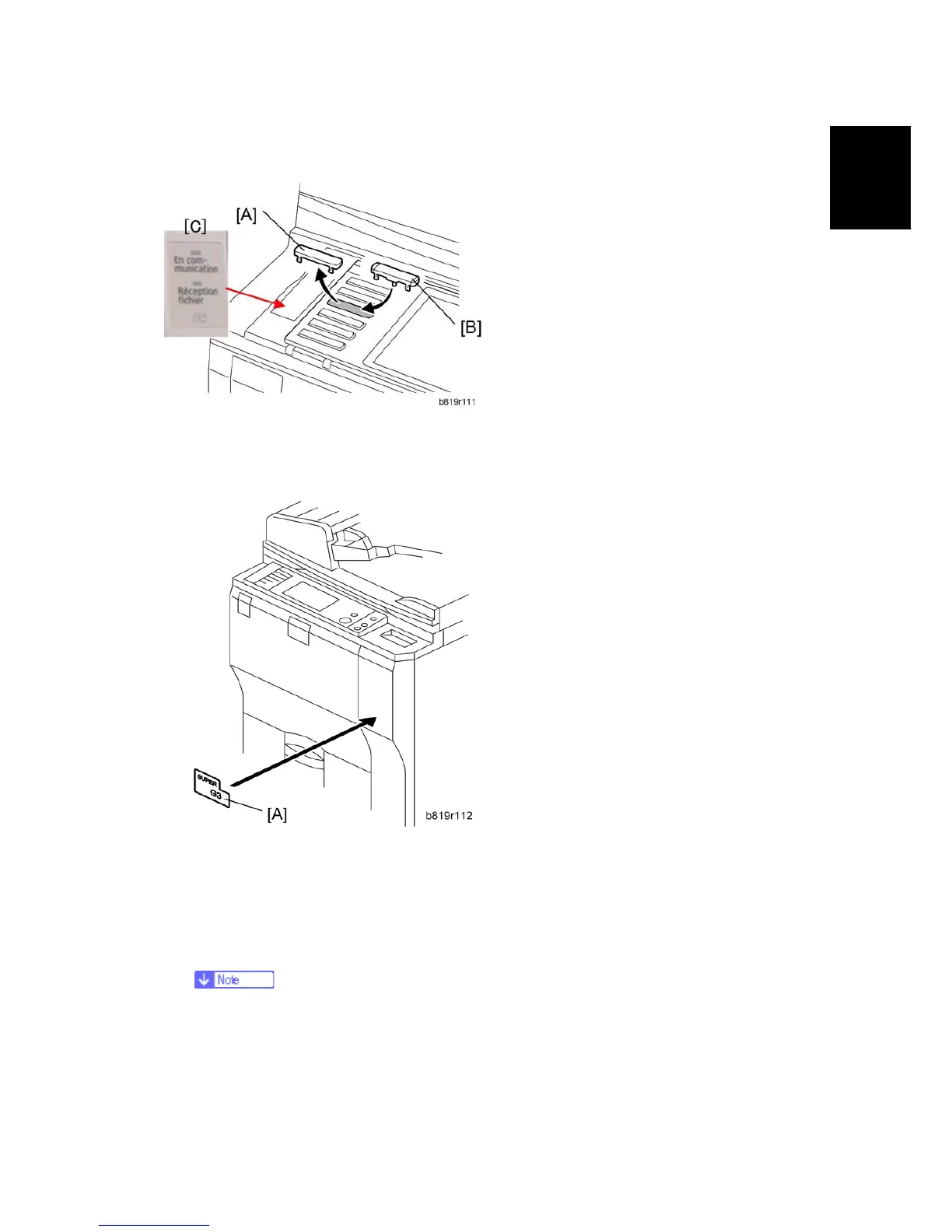
Key Installation and Decal Attachment
1. Remove the blank keytop [A] (3rd from the top) and replace it with one of the keytops
provided [B] (either the "Facsimile" keytop or the fax symbol keytop).
2. Attach the multi-language decal [C] (EU only).
3. Attach the decal [A] (SUPER G3) to the front door.
4. Attach the serial number decal under the copier serial number decal on the rear cover
of the machine.
5. Attach the FCC decal to the rear cover of the machine (NA only).
6. Put the power plug into the outlet and turn on the main power of the machine.
Make sure that the outlet is grounded.
"SRAM formatted" shows on the operation panel after you have turned the
main switch on. Turn the main switch off and on again for normal use.
7. Make sure that the date and time are correctly set.



 To Next Page