Punch Unit (B702)
SM 2-67 D062/D063/D065/D066
Installation
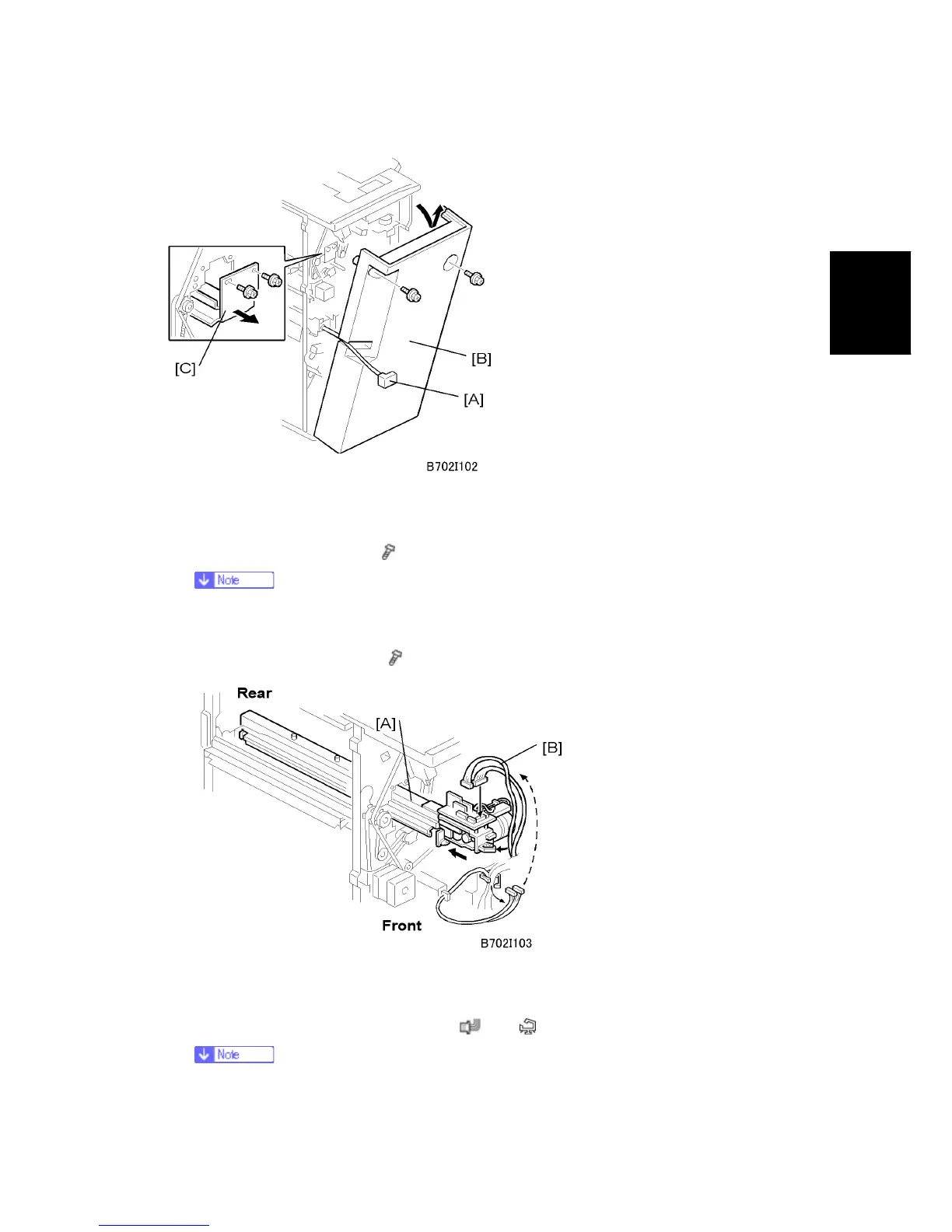
1. If the finisher is connected to the copier, disconnect the power connector [A] and
separate the finisher from the copier.
2. Remove the rear cover [B] (
x 2) and open the front door.
At the base of the back cover, be sure to disconnect the tabs that fasten the
cover to the frame.
3. Remove the guide plate [C] (
x 2).
4. Slide the punch unit [A] along its rails into the finisher. Make sure that pin engages
correctly at the front and rear.
5. Connect and fasten the punch unit [B] (
x 2, x 1).
The connectors are coiled and tied above the PCB on the right.



 To Next Page