Output Jogger Unit (B703)
SM 2-81 D062/D063/D065/D066
Installation
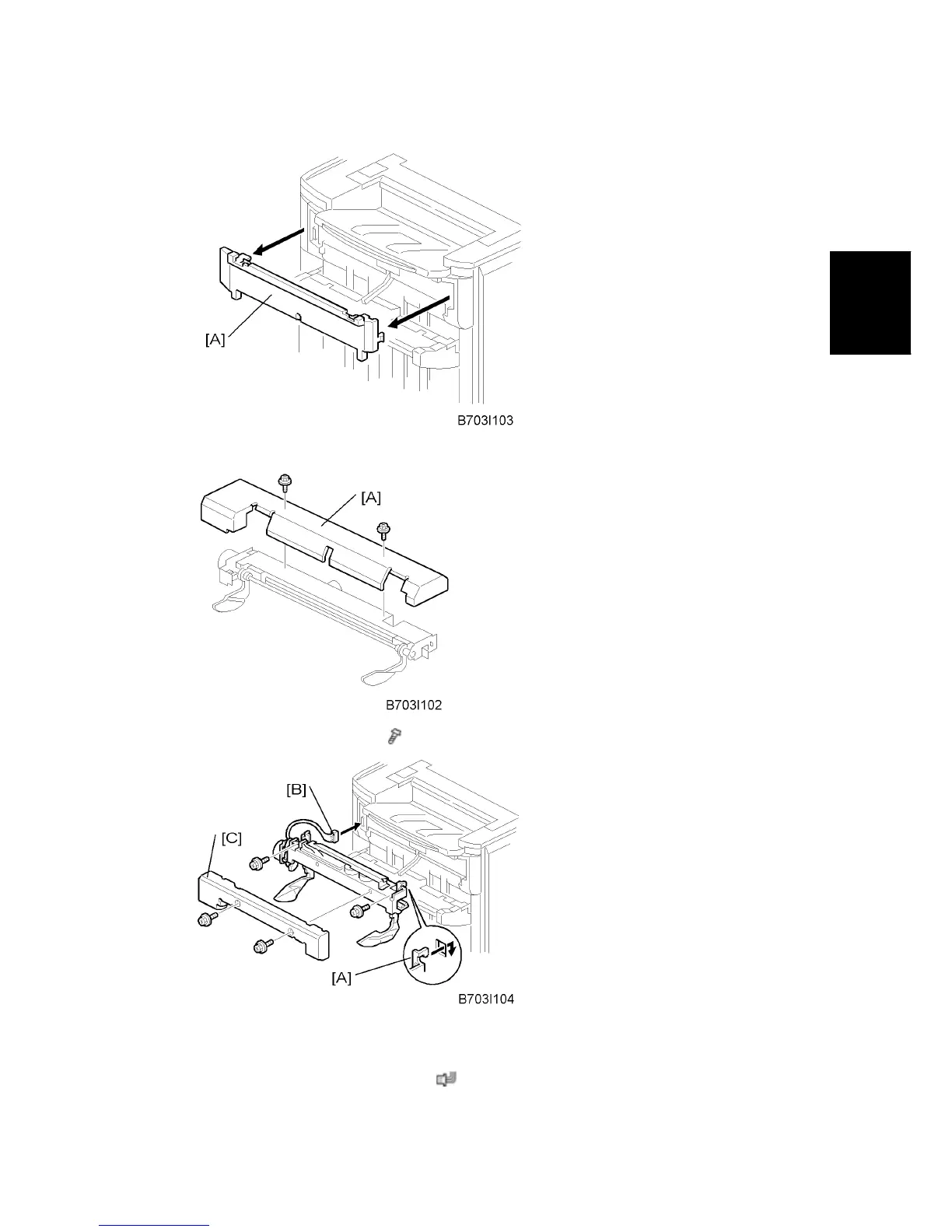
3. Use the flat head of a screwdriver to remove the left upper cover [A].
4. Remove the cover plate [A] (
x 2). Keep the screws.
5. While you hold the jogger unit with the connector on the left, put the hooks of the frame
of the jogger unit [A] into the holes in the left and right side of the finisher frame.
6. Fasten connector [B] to the socket (
x 1).



 To Next Page