Details
D454 98 SM
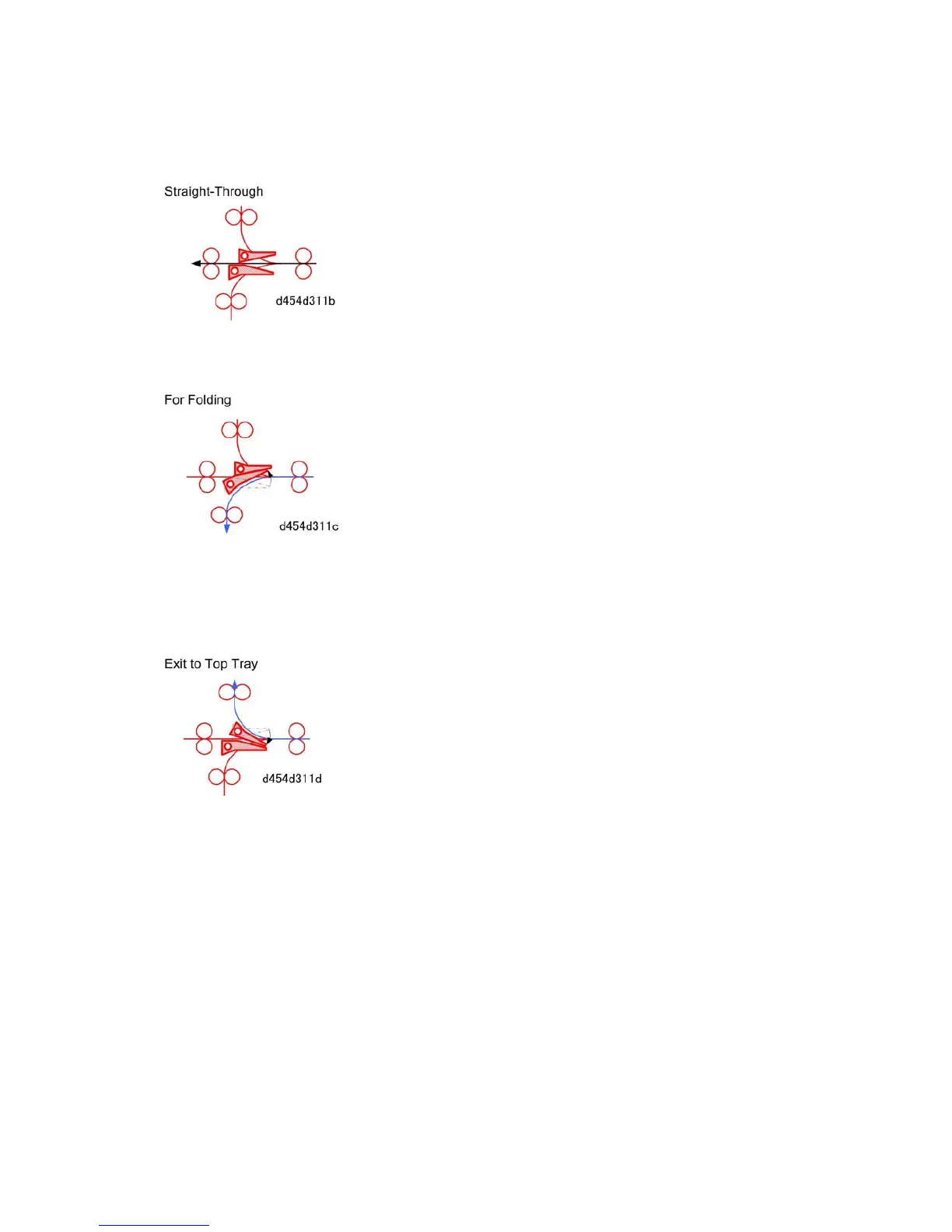
There are two junction gates in the paper path at the entrance of the multi-folder.
Both junction gates remain at their home positions when paper is fed straight through the
multi-fold unit to the next unit downstream.
When folding is selected, the lower entrance junction gate raises and guides the paper to
the fold units below:
Upper entrance junction gate remains at default position.
Lower junction gate rotates up and guides paper down.
When draft copies are sent to the top tray:
The upper entrance junction gate rotates down.
The lower junction gate remains at default position.



 To Next Page