MFP Options
SM 2-111 D062/D063/D065/D066
Installation
1. Switch the machine off.
2. Remove the controller box cover (
p.4-105 "CNT Board (Controller Board)").
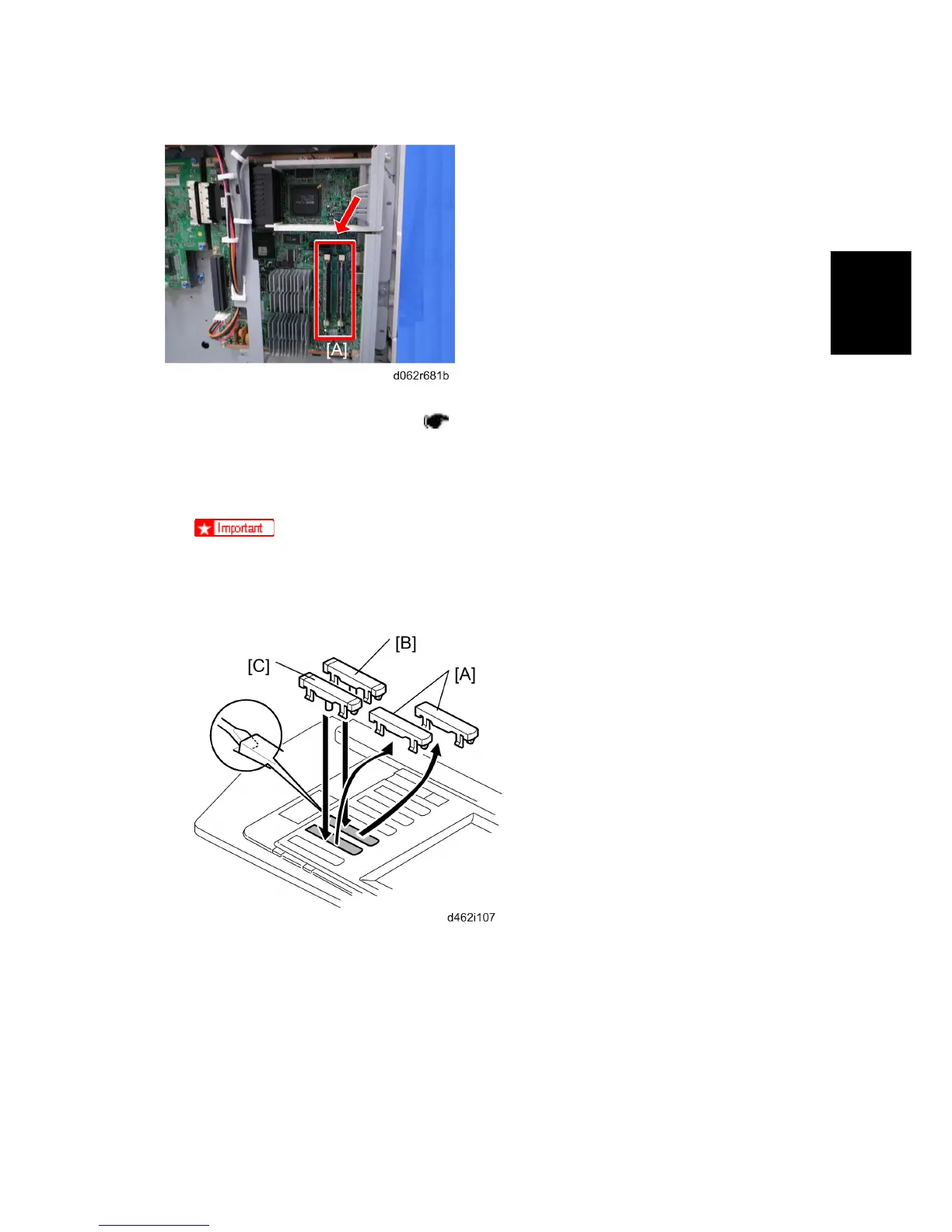
3. Insert the memory DIMM in either slot [A].
4. Re-attach the controller box cover.
5. Insert the SD Card into Slot 1.
Push the SD Card in to release it for removal.
Make sure the SD Card is inserted and locked in place. If it is partially out of
the slot, push it in gently until it locks in place.
6. On the operation panel, remove the dummy keytops [A] (second and third from the
bottom) and discard them.
7. Install the "Printer" keytop [B] then the "Scanner" keytop [C]. Select either the English
set or Symbol set for installation. The correct order is:
Printer (upper)
Scanner (lower)
Rev. 08/03/2009



 To Next Page