MFP Options
SM 2-131 D062/D063/D065/D066
Installation
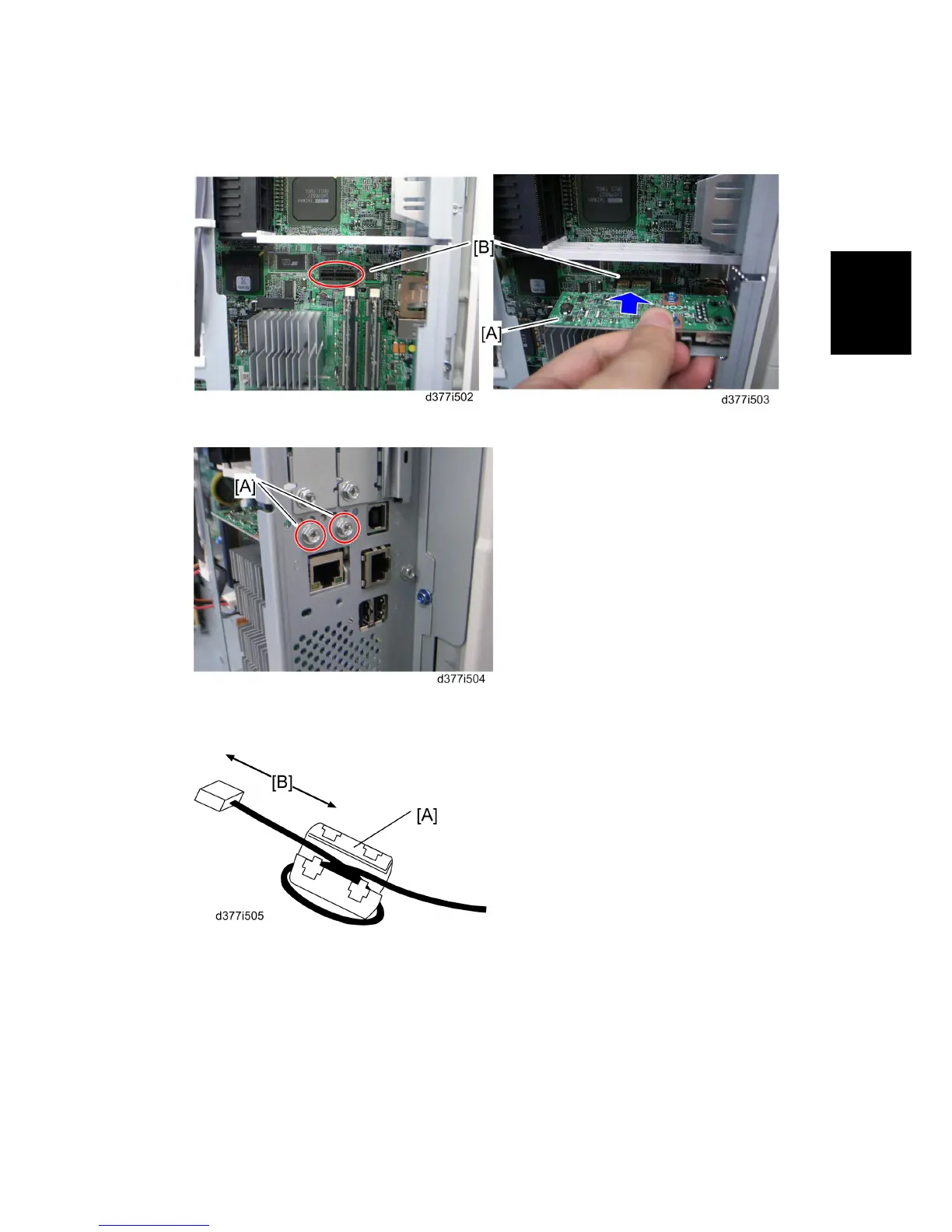
4. Insert the Gigabit Ethernet board [A] in the slot [B] on the controller board.
5. Fasten it with the screws [A].
6. Reassemble the machine.
7. Attach the ferrite core [A] to the network cable.
[B]: 30 mm or more
8. Connect the network cable to the slot for Gigabit Ethernet.
9. Print a configuration page to confirm that the machine recognizes the installed board
for USB2.0:
User Tools > Printer Features > List/Test Print > Configuration Page
Rev. 06/15/2011



 To Next Page