Laser Unit
SM 4-21 D062/D063/D065/D066
Replacement
and
Adjustment
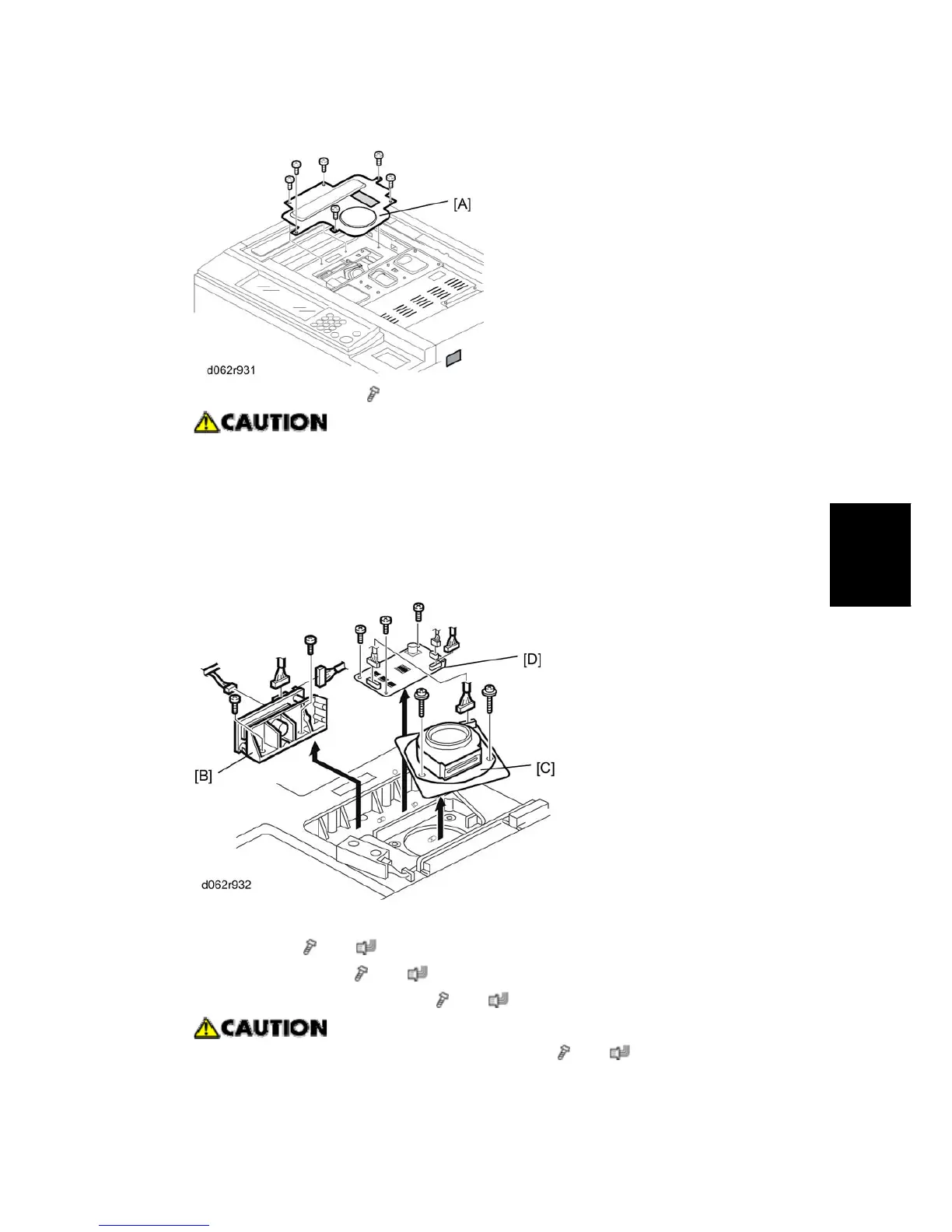
2. Polygon motor cover [A] (
x 6)
An accidental static discharge could damage the LDB (Laser Diode Board).
Touch a metal surface to discharge any static electricity from your hands.
The polygon motor rotates at extremely high speed and continues to rotate
after switching the machine off. To avoid damaging the motor, never remove
the polygon motor within three minutes of switching off the machine and
disconnecting its power plug.
3. Remove;
LD unit [B] (
x 2, x 3)
Polygon motor [C] (
x 3, x 1)
Polygon motor drive board [D] (
x 3, x 3)
Before fastening the polygon motor in place (
x 3, x 1), make sure that
the glass panel of the laser port is facing to the right (toward the mirrors in the



 To Next Page