Paper Feed
SM 4-95 D062/D063/D065/D066
Replacement
and
Adjustment
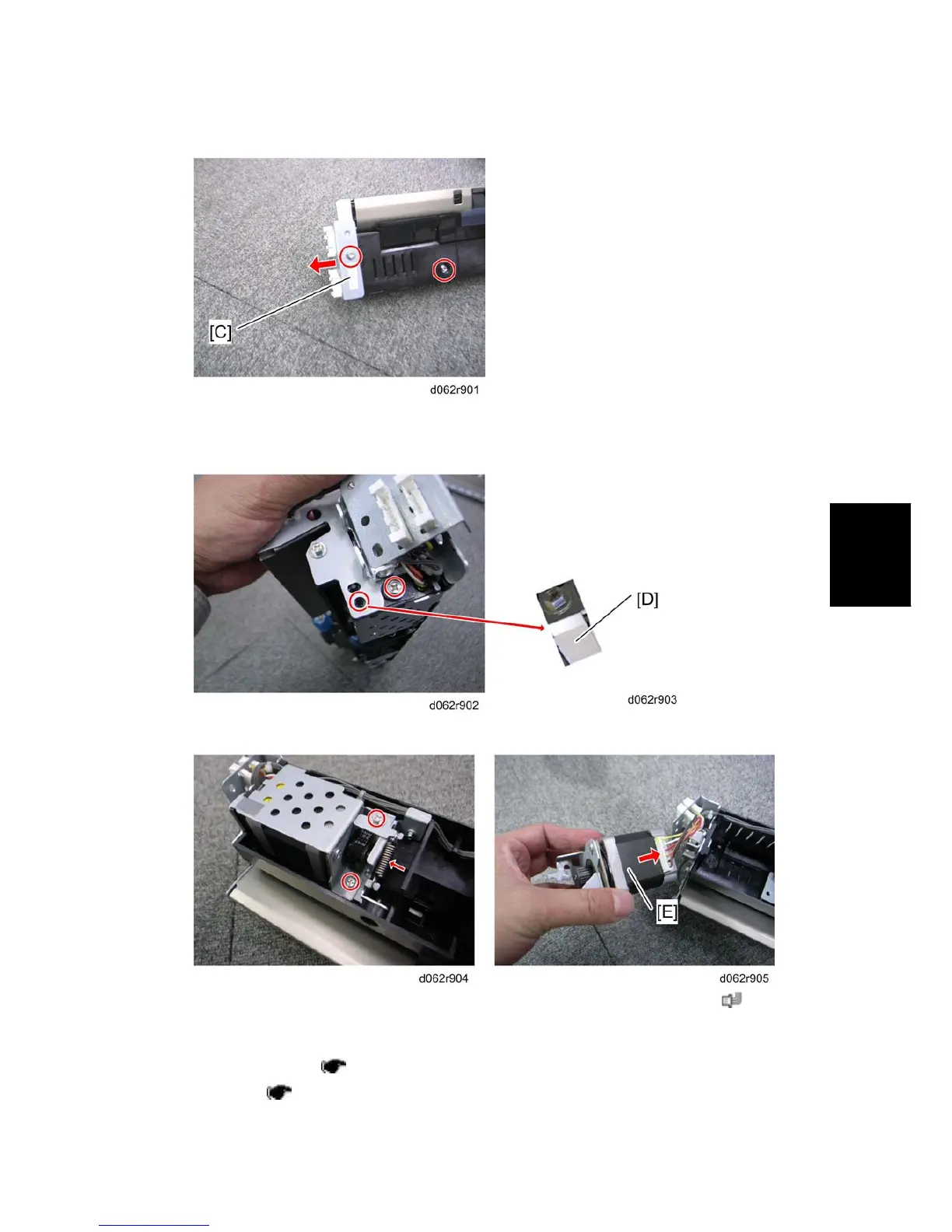
2. Remove two screws and the connector bracket [C].
When removing bracket [C], no connectors need to be disconnected.
3. Remove two screws and the bracket [D].
4. Remove two screws and a spring, and then remove the paper feed motor [E] (
x 1).
For D065/D066
1. Right lower cover ( p.4-7 "Right Covers")
2. Feed unit (
p.4-92)



 To Next Page